
PHILIPS MCD132 user guide

This is a quick start guide for DCD132, introducing the features and functions of the product.
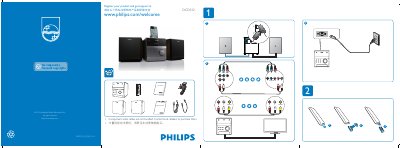

PHILIPS MCD132 user guide - cover page
Brand
Philips
Category
Hi-Fi
Document type
Quick Start Guide
Language
Chinese
Pages
2
File format
PDF
File size
525 KB
Published
27 March, 2012
Updated
30 September, 2023
Model
DCD132
MD5 checksum
6342271F311F0293A2A0197DBA3A1866

About this manual

The guide begins with product registration and support information, directing users to register at www.philips.com/welcome. It also notes that component video cables are not bundled and must be purchased separately.

The manual includes a quick start section covering language setup via the OSD LANGUAGE MENU, volume control, and DVD/VCD playback settings, helping users get the DCD132 up and running quickly. This manual is written in Chinese.

What's inside

  • Product Registration
  • Support Website
  • Component Video Cables
  • Language Setup
  • Volume Control
  • DVD/VCD Playback
  • Quick Start Guide

Frequently asked questions

Where can I register my Philips DCD132?

You can register the product at www.philips.com/welcome.

How do I change the language on the DCD132?

Use the OSD LANGUAGE MENU in the Language Setup screen.

Download PDF (525 KB)

More Philips Manuals


View all Philips manuals →