
This document provides the user manual and quick start guide for the Philips DCD132 audio player. It also mentions how to purchase additional component video cables.
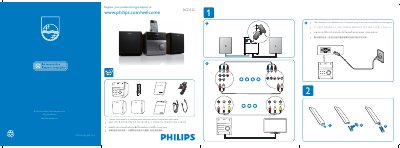
The guide begins with instructions on registering the DCD132 at the Philips support site (www.philips.com/welcome) and provides contact information for local retailers to purchase optional component video cables. It also notes that the power plug may differ by region.
Further sections explain how to connect video sources (component video cables), set up the on‑screen display language via the OSD Language Menu, and navigate basic menu options such as DVD, VCD, SVCD, and subtitle settings.
Visit the registration page at www.philips.com/welcome and follow the on‑screen instructions.
Open the OSD Language Menu and select the desired language.