
The C.NF5-D Ver1.4 motherboard from Colorful NF5 series supports AMD Socket AM2 AMD Athlon 64 FX/Athlon 64/Sempron CPUs. It adopts ATX architecture and supports HyperTransport 1GHz and DDR2 533/DDR2 667/DDR2 800 standard memory. The motherboard provides various expansion interfaces, including PCI slots, PCI X16 slots, and PCI X1 slots. It supports PCIE X16 and 7.1 channel output, as well as IDE interface, SATA interface, and USB interface.
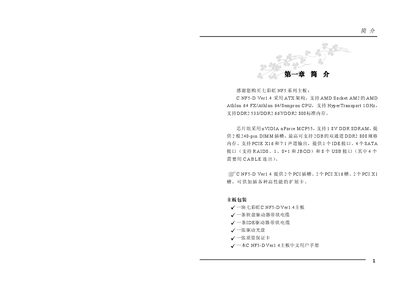
The Colorful C.NF5-D Ver1.4 motherboard manual covers the ATX‑based board that supports AMD Socket AM2 CPUs, DDR2 memory up to 2 GB, and a range of expansion slots. It lists the chipset (nVIDIA nForce MCP55), audio codec, SATA and USB interfaces, and includes a wiring diagram for connectors.
Installation instructions detail CPU and memory mounting, power‑connector wiring, and jumper settings such as CMOS clear. The BIOS chapter explains the Award BIOS menu, power‑management options, and over‑clocking controls. Appendices provide troubleshooting tips and BIOS‑flashing procedures. This manual is written in Chinese.
| CPU socket | AMD Socket AM2 |
|---|---|
| Chipset | nVIDIA nForce MCP55 |
| Memory type | DDR2 533/667/800 |
| Maximum memory | 2 GB DDR2 (dual‑channel) |
| PCI slots | 2 × PCI |
| SATA ports | 4 × SATA2 (RAID 0/1/0+1/JBOD) |
| USB ports | 8 × USB 2.0 |
| Audio codec | ALC880 HAD Codec, 7.1‑channel output |
| BIOS | Award BIOS with 4 MB Flash EEPROM |
Move the CLR_CMOS jumper from pins 1‑2 to pins 2‑3, wait a few seconds, then move it back to pins 1‑2.
Lift the CPU socket lever, align the notches, insert the CPU without force, apply thermal paste, attach the fan, and secure the lever.