
The WV-PB5508E Video Input Board is provided for expanding the video input capability of the WJ-SX550 Matrix Switcher. It features video output connectors and camera input connectors that accept color or black and white composite video signals and pass them through the video output connectors.
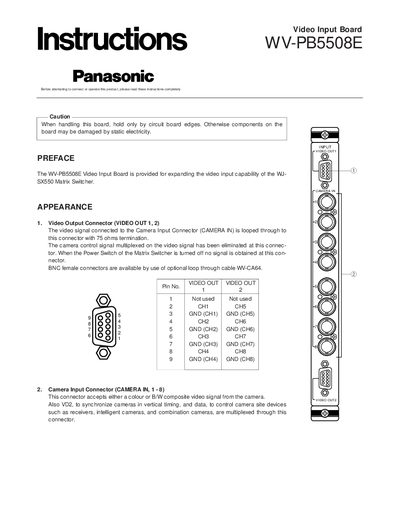
This guide provides instructions for installing the Panasonic WV-PB5508E video input board into a WJ‑SX550 matrix switcher. It details safety precautions, removal of the rear panel, positioning of the board, and securing it with screws.
The document also explains how to configure the board's SW1 switches for the desired camera input number, describes the video and data signal characteristics, and lists the board's dimensions, weight, and connector types.
| Camera Input | 8 inputs |
|---|---|
| Video Output | 2 outputs |
| Video Signal | 1.0 Vp-p/75 Ω composite video |
| Data Signal | 0.5 Vp-p/75 Ω data, 2.5 Vp-p/75 Ω vertical timing |
| Dimensions | 24.5 × 265 × 260 mm (W × H × D) |
| Weight | 450 g (1.0 lb) |
| Cable Compensation | S, M, L (Short, Middle, Long) |
| Vertical Drive Output | On/Off |
| Connector Type | 9‑pin D‑Sub |
| Camera Site Control | All Input |
Turn off the power, remove the four rear‑panel screws, take off the panel, slide the board into a slot, and tighten the two mounting screws.
Set the SW1 switches on the board to match the desired camera input number; the factory default is inputs 1‑8.
The board outputs a 1.0 Vp‑p/75 Ω composite video signal.