
This is a software installation guide for Panasonic CF-VEB181 / CF-WEB301M. It mainly introduces the software that needs to be installed on this model and the installation method.
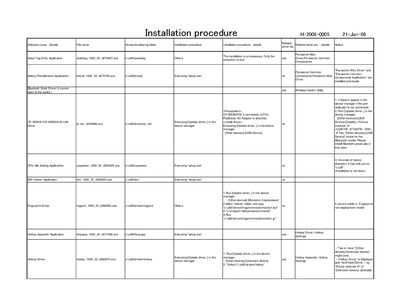
This document provides the installation procedure for the Panasonic H-2008-0005 device. It lists required drivers and utilities, such as the Panasonic Misc Driver, Hotkey Appendix, Bluetooth Stack, TPM, video, and various wireless components, and explains how to update or install them.
The guide includes step‑by‑step commands for running update‑driver actions in Device Manager, creating necessary folders, copying files, and configuring BIOS settings for components like GPS and wireless LAN. It also notes which drivers are pre‑installed in a factory shipment and which require manual installation.
Run [Update driver..] in the device manager for the Bluetooth model.
Set GPS to Auto in the BIOS Setup and reboot the computer.
Run [Update driver..] in the device manager for the Hotkey driver.