
This is a document that lists all the software tools that can be installed on the Panasonic CF-SX4 laptop.
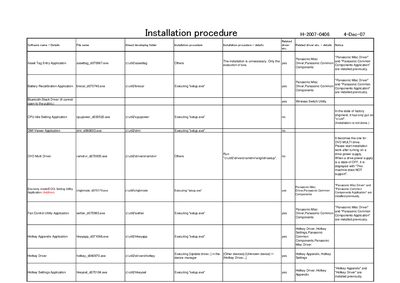
This document describes the installation procedure for a collection of Panasonic drivers and utility applications, including Misc, Common, LAN Power‑Saving, USB Power Save, and Wireless LAN drivers. It lists the required executable files and the order in which they should be run.
Each driver is installed by executing its associated setup.exe file, with notes on whether the installation is required, optional, or already performed. The guide also includes specific configuration steps such as enabling LAN power‑saving and adjusting wireless LAN settings.
Run the driver’s setup.exe file (e.g., cAutil2\drivers\newmisc\setup.exe) and follow the prompts.
Run the driver installer (e.g., c\util2\drivers\wlan\Vista\Drivers\V32\iPr]oDifX.exe), reboot, then configure the 802.11b/g settings in Device Manager.