
This file is a driver installation guide for Panasonic computers, including Asset Tag Entry Application, Battery Recalibration Application, Wireless Switch Utility, CF-VEB181/CF-WEB301M LAN Driver, CPU Idle Setting Application
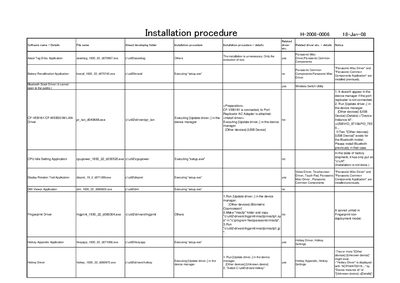
This document provides step‑by‑step instructions for installing the required drivers and utilities for the Panasonic H‑2008‑0006 device. It lists each component, the associated executable, and whether the driver is already present or needs to be installed.
Key sections cover driver updates via Device Manager, installation of Bluetooth Stack, Hotkey utilities, wireless LAN and switch utilities, as well as optional tools such as the PC Information Viewer and Power Saving Utility.
Run the Update driver command in Device Manager and install the Bluetooth Stack driver if it is not already present.