
Key facts
- Manuals
- 8
- Categories
- 1
- Languages
- EN
- Last added
- 2012-07-05
Featured Installation manuals
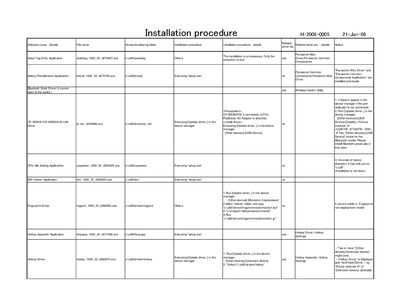
INSTALLATION PROCEDURE H-2008-D005 21-jan-08
This document provides the installation procedure for the Panasonic H-2008-0005 device. It lists required drivers and utilities, such as the Panasonic Misc Driver, Hotkey Appendix, Bluetooth Stack, TPM, video, and various wireless components, and explains how to update or install them.
The guide includes step‑by‑step commands for running update‑driver actions in Device Manager, creating necessary folders, copying files, and configuring BIOS settings for components like GPS and wireless LAN. It also notes which drivers are pre‑installed in a factory shipment and which require manual installation.
Covers: Installation procedure · Hotkey Settings Application · Panasonic Common · TPM Driver · Video Driver · Wireless Connection Disable Utility
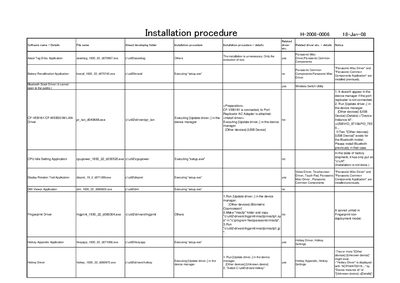
INSTALLATION PROCEDURE H-2008-D006 18-JAN-08
This document provides step‑by‑step instructions for installing the required drivers and utilities for the Panasonic H‑2008‑0006 device. It lists each component, the associated executable, and whether the driver is already present or needs to be installed.
Key sections cover driver updates via Device Manager, installation of Bluetooth Stack, Hotkey utilities, wireless LAN and switch utilities, as well as optional tools such as the PC Information Viewer and Power Saving Utility.
Covers: Installation Procedure · Driver Installation · Hotkey Appendix · Wireless Switch Utility · PC Information Viewer
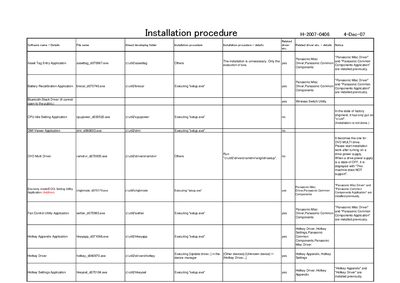
Panasonic Installation Procedure h-2007-0406
This document describes the installation procedure for a collection of Panasonic drivers and utility applications, including Misc, Common, LAN Power‑Saving, USB Power Save, and Wireless LAN drivers. It lists the required executable files and the order in which they should be run.
Each driver is installed by executing its associated setup.exe file, with notes on whether the installation is required, optional, or already performed. The guide also includes specific configuration steps such as enabling LAN power‑saving and adjusting wireless LAN settings.
Covers: Installation procedure · Panasonic Misc Driver · LAN Power‑Saving Utility · USB Power Save Mode Switching · Wireless LAN Driver · Asset Tag Entry Application
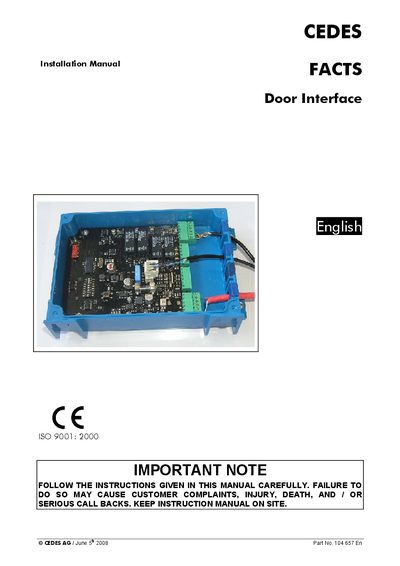
CEDES FACTS Door Interface Installation Manual
The FACTS Door Interface is a control unit for access‑controlled doors and gates. It receives identification data from a FACTS Key Reader via RS‑485 and activates a door‑lock relay based on stored access rights. The device operates on 24 VDC and can be connected to other FACTS components over a CAN bus.
The manual provides step‑by‑step installation instructions, wiring diagrams, LED function descriptions, CAN address configuration, and technical specifications such as power requirements, input voltage levels, and mechanical dimensions.
Covers: System overview · Main features · Working principle · Intended use · Installation · Connection diagram
Latest Installation manuals
Installation Instructions for TeraTerm Manual
The document provides installation instructions for Agilent Microarray Scanner Software Versions A.8.4, including software license statement and installation steps, and operation instructions.
INSTALLATION ELECTRICAL CONNECTION
This manual contains important information regarding safety, the use and maintenance of your new hob. It includes safety precautions, disposal of packaging materials, scope of use, limitations for users, child safety, and the meaning of symbols displayed on the control panel.
Installation guide for ACS100/140 NEMA1/IP21 Enclosure Kit Manual
The ACS100/140 NEMA1/IP21 Enclosure Kit provides a NEMA1/IP21 housing for the ACS100 and ACS 140 IP20 protected chassis units. The NEMA1/IP21 enclosure kit consists of a metal back plate with a conduit plate and a plastic cover. Additionally the kit includes parts that are needed if an optional RFI-filter is used. The drive heatsink is flange mounted to the back plate so that the heatsink fins are outside the enclosure. The assembled NEMA1/IP21 drive unit can be mounted to a vertical surface using a DIN rail or the mounting holes and slots in the heatsink.
INSTALLATION PROCEDURE H-2008-D005 21-jan-08
Installation Guide 5 pages · 237 KB · ENInstallation guide for Panasonic H-2008-0005 detailing driver and utility setup steps.
INSTALLATION PROCEDURE H-2008-D006 18-JAN-08
Installation Guide 5 pages · 215 KB · ENInstallation guide for Panasonic H-2008-0006 detailing driver and utility setup steps.
Panasonic Installation Procedure h-2007-0406
Installation Guide 5 pages · 148 KB · ENStep‑by‑step installation instructions for Panasonic drivers and utilities.
CEDES FACTS Door Interface Installation Manual
Installation Guide 12 pages · 669 KB · ENInstallation guide for the CEDES FACTS Door Interface, covering wiring, CAN network setup, LEDs and mechanical data.
CEDES FACTS Door Interface Installation Guide
Installation Guide 12 pages · 669 KB · ENInstallation guide for the CEDES FACTS Door Interface, covering wiring, CAN network setup, LED functions, and technical specifications.
Which document do I need?
Installation Guide
Mounting, wiring and first power-up. Read it before the hardware goes in.
Questions answered in Installation manuals
How do I update the Bluetooth driver?
Run [Update driver..] in the device manager for the Bluetooth model.
How do I enable GPS after installation?
Set GPS to Auto in the BIOS Setup and reboot the computer.
How do I install the Bluetooth Stack driver?
Run the Update driver command in Device Manager and install the Bluetooth Stack driver if it is not already present.
How do I install the Panasonic Misc Driver?
Run the driver’s setup.exe file (e.g., cAutil2\drivers\newmisc\setup.exe) and follow the prompts.
What are the steps to install the Wireless LAN Driver?
Run the driver installer (e.g., c\util2\drivers\wlan\Vista\Drivers\V32\iPr]oDifX.exe), reboot, then configure the 802.11b/g settings in Device Manager.
What power supply does the Door Interface need?
It requires a 24 VDC power source.