
The APC 10Whr Mobile Power Pack (UPB10) is a rechargeable battery pack that can power and charge devices such as iPods, MP3 players, mobile phones, and portable gaming systems via a USB charging cable.
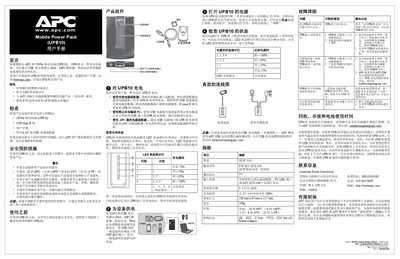
This user manual covers how to charge and use the APC UPB10 mobile power pack. It includes safety precautions, charging methods, LED status indicators, and troubleshooting tips. The device is designed to power and charge portable devices via USB, with specifications including 10Wh capacity, 8W continuous output, and 10W peak power. Safety guidelines cover storage, water exposure, and fire risks. This manual is written in Chinese.
| Capacity | 10 Wh |
|---|---|
| Output Power | 8 W 最大连续功率 |
| Peak Power | 10 W |
| Output Voltage | 5V |
| Dimensions | 100 mm x 65 mm x 13.7 mm |
| Weight | 100g |
| Operating Temperature | 0 to 45°C (32 to 113°F) |
| Storage Temperature | -20 to 60°C (-4 to 140°F) |
| Certifications | CE, FCC, C-Tick, VCCI, CCC (for AC Power Adapter) |
You can charge the UPB10 using an AC adapter, a PC USB port, or an APC universal power adapter. Connect the USB cable to the adapter or device and plug it into a power source.
The LED indicators show the battery level: flashing indicates charging, 1 LED for less than 25%, 2 LEDs for 25-55%, 3 LEDs for 55-85%, 4 LEDs for 85-100%, and all LEDs off for fully discharged.
Check if the device is in sleep mode; press and release the status button to wake it. If it still doesn't charge, ensure the power source is compatible and try a different charging method.
It takes approximately 3.5 hours to fully charge the UPB10 to 100%.