
Key facts
- Manuals
- 37
- Models
- 6
- Categories
- 1
- Languages
- EN · ZH · JA
- Last added
- 2026-09-29
APC models by category
Featured APC manuals
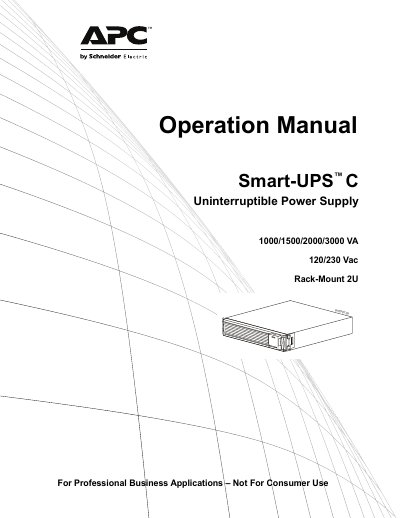
APC Smart-UPS C 1000/1500/2000/3000 VA 120/230 Vac Rack-Mount 2U Operation Manual
This operation manual covers the Smart‑UPS C series of rack‑mount uninterruptible power supplies. It includes important safety messages, handling guidelines for heavy equipment, and detailed battery safety procedures. The document also explains how to install the UPS, connect it to a grounded power source, and configure sensitivity settings for voltage disturbances.
Product specifications such as VA rating, input voltage, weight, battery type, operating temperature, humidity range, IP protection, and warranty information are listed. Service and warranty sections describe how to obtain support, request an RMA, and the two‑year limited factory warranty terms.
Covers: Important Safety Messages · Battery Safety · Product Description · Front Panel Features · Rear Panel Features · Installation
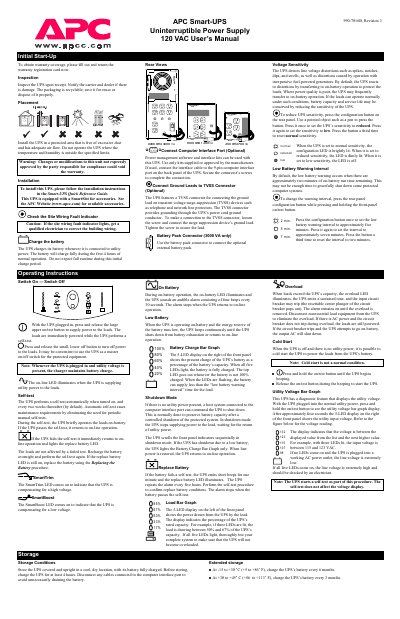
APC Smart-UPS 990-7016B Uninterruptible Power Supply 120 VAC User Manual
This manual covers the APC Smart‑UPS 990‑7016B, a 120 VAC uninterruptible power supply designed to protect connected equipment from power disturbances. It explains initial start‑up, installation, wiring, and configuration options such as voltage sensitivity and low‑battery warning intervals.
Key sections include detailed battery‑replacement procedures for different VA models, operating instructions for on‑battery and shutdown modes, self‑test scheduling, and a full specifications table. Safety warnings, storage guidelines, and service instructions are also provided.
Covers: Initial Start-Up · Installation · Battery Replacement · Operating Instructions · Self-test · Voltage Sensitivity
APC SU2200ICH/SU3000ICH User Manual
This manual explains the purpose of the APC Smart‑UPS, which protects computers and other electronic equipment from power interruptions, voltage sags, spikes, and frequency variations. It includes safety warnings, battery handling rules, and environmental requirements.
The guide covers installation of the UPS for both 230 V and 100/120 V models, connection of equipment, configuration of sensitivity settings, operation of the start/test and setting buttons, and procedures for battery replacement, self‑test, and troubleshooting. Maintenance and repair instructions, including RMA handling, are also provided. This manual is written in Chinese.
Covers: Safety Guidelines · Introduction · Installation · Operation Instructions · Battery Maintenance · Settings
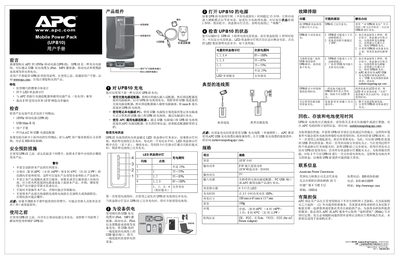
APC UPB10 Mobile Power Pack User Manual
This manual introduces the APC UPB10 mobile power pack, a lightweight 10 Wh battery pack that can charge iPods, MP3 players, mobile phones, PDAs and portable game systems via its USB Mini‑B port. It includes safety precautions, feature highlights, and a checklist of items included in the package.
The guide explains three charging options (AC adapter, PC USB port, or APC universal power adapter), how to interpret the four‑LED charge‑level indicator, how to wake the device from sleep mode, and provides detailed specifications, troubleshooting steps, recycling instructions, and contact information for APC support. This manual is written in Chinese.
Covers: 前言 · 特性 · 检查 · 安全预防措施 · 使用之前 · 产品组件
Latest APC manuals
APC Smart-UPS C 1000/1500/2000/3000 VA 120/230 Vac Rack-Mount 2U Operation Manual
User Manual 20 pages · 445 KB · ENThe APC Smart-UPS C 1000/1500/2000/3000 VA 120/230 Vac Rack‑Mount 2U operation manual provides safety instructions, installation steps, specifications, and…
APC Silcon service manual
APC Addendum Remote Air-Cooled Condenser Manual
This manual describes the installation, operation and maintenance of the remote air-cooled condenser.
APC Master Switch 230V Manual
This document is a user manual for Master Switch 230V, providing information about its configuration, control, and management functions.
APC Back-UPS ES 500/525 user manual
This document is the Back-UPS ES 500/525 user manual, which introduces how to use the product, including how to connect the communication cable, software installation, power indicator light and other content.
APC Back-UPS 500 Back-UPS 650 user manual
This document is about the APC Back-UPS 500 and Back-UPS 650 products. These two products are UPS power supply products introduced by American Power Conversion in 2004. They are efficient, reliable, and protect equipment from power fluctuations and failures.
APC LVD300/LVD400/LVD500/LVD600/LVD1000 EQUIPMENT HANDBOOK FOR LOW VOLTAGE DISCONNECTORS Manual
This document is an equipment handbook for the Low Voltage Disconnectors series LVD300, LVD400, LVD500, LVD600, and LVD1000. The document includes safety instructions, specifications, circuit description, controls and indicators, installation and commissioning, routine maintenance, fault diagnosis and repair.
APC MRF MWF1700 DCPM1700 Series Rectifiers installation Manual
This file is an installation manual that introduces the features and characteristics of the MRF/MWF1700 and DCPM1700 series rectifiers.
APC MX28B1200/2400 MX28B1200/4800 48 VDC POWER SYSTEMS user manual
This manual describes installation, operation, and maintenance of the MX28B1200/2400 MX28B1200/4800 -48 VDC power system.
APC Smart-UPS 990-7016B Uninterruptible Power Supply 120 VAC User Manual
User Manual 2 pages · 146 KB · ENThe APC Smart‑UPS 990‑7016B user manual provides setup, operation, battery replacement, and safety instructions for the 120 VAC uninterruptible power supply.
APC SU2200ICH/SU3000ICH User Manual
User Manual 20 pages · 296 KB · ZHThe APC SU2200ICH/SU3000ICH User Manual provides safety guidelines, installation steps, operation instructions, and maintenance information for these…
APC UPB10 Mobile Power Pack User Manual
User Manual 1 pages · 616 KB · ZHThe APC UPB10 Mobile Power Pack User Manual provides usage instructions, safety warnings, charging methods, specifications, and troubleshooting tips.
APC Back-UPS ES 500/525 User Manual
User Manual 1 pages · 245 KB · ZHThe APC Back-UPS ES 500/525 user manual provides setup, operation, battery replacement, and troubleshooting instructions for the UPS.
APC ACF126 ACF127 Installation Guide
Installation Guide 4 pages · 346 KB · ZHInstallation guide for APC ACF126 and ACF127 airflow duct kits, including parts list, tools, and assembly steps.
APC AP9465/AP9470/AP9475 Installation Guide
Installation Guide 32 pages · 755 KB · ENInstallation guide with safety, rack‑mounting, power and network setup instructions for APC InfraStruXure Central servers (AP9465, AP9470, AP9475).
- 1
- 2
Which document do I need?
User Manual
Day-to-day operation, settings and troubleshooting. Start here if the product is already set up.
Installation Guide
Mounting, wiring and first power-up. Read it before the hardware goes in.
Service Manual
Disassembly, diagnostics and part numbers, for repair.
Questions answered in APC manuals
How often should the battery be replaced?
Replace the battery at least every 5 years or at the end of its service life, whichever comes first.
From: APC Smart-UPS C 1000/1500/2000/3000 VA 120/230 Vac Rack-Mount 2U Operation Manual
How should the UPS be connected to a power source?
Connect the UPS to a two‑pole, three‑wire grounded outlet, then plug equipment into the UPS.
From: APC Smart-UPS C 1000/1500/2000/3000 VA 120/230 Vac Rack-Mount 2U Operation Manual
How do I replace the battery in the APC Smart‑UPS 990‑7016B?
The UPS has a hot‑swappable battery; follow the battery‑replacement procedure for the 2200‑3000 VA models, which includes removing the front cover, disconnecting the battery connectors, inserting new batteries, and re‑securing the cover.
From: APC Smart-UPS 990-7016B Uninterruptible Power Supply 120 VAC User Manual
What does the SmartTrim LED indicate?
The SmartTrim LED lights when the UPS is compensating for a high voltage on the input line.
From: APC Smart-UPS 990-7016B Uninterruptible Power Supply 120 VAC User Manual
Can I connect a laser printer to the UPS?
No, the UPS must not be used to power a laser printer.
How can I change the low‑battery warning interval?
Hold the start/test button on the front and press the setting confirmation button on the rear panel to cycle the interval between 2, 5, and 7 minutes.