
haier HC-C720
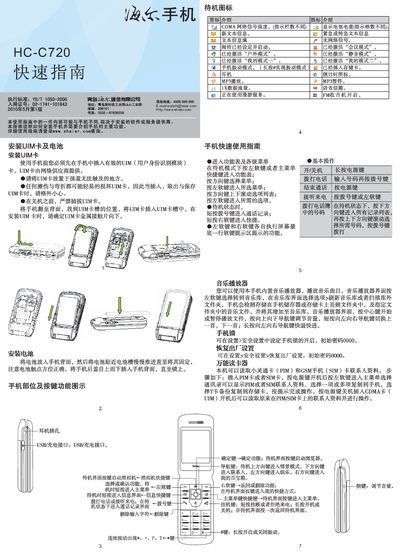
This guide explains how to install the UIM card and battery, describes the phone’s buttons and functions, and provides basic usage tips such as making calls, using the music player, and configuring the lock and factory reset settings.
It also covers safety information, including SAR limits, proper handling of the device, and environmental precautions, as well as troubleshooting common issues like charging problems and network connectivity. This manual is written in Chinese.
| SAR (Specific Absorption Rate) | 0.185 W/kg |
|---|
Turn the phone over, locate the UIM card slot on the back, and insert the card with the metal contacts facing down.
Open Settings > Security Settings > Restore Factory Settings; the default password is 0000.
Make sure the charger is correctly connected to the phone and to a power source.