
This document introduces the features and functions of the Philips home theater product, including connection methods, getting started, playback functions, adjusting sound, and other settings.
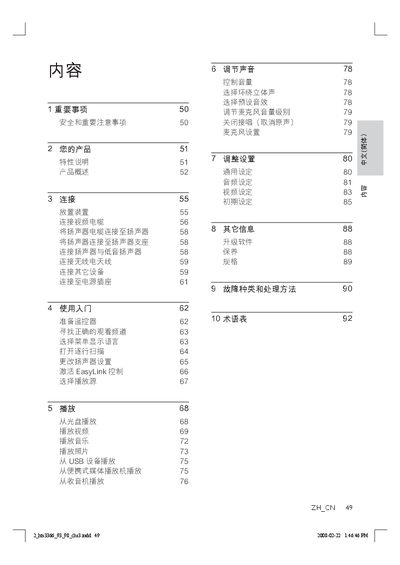
This manual guides users through the safe installation and operation of the Philips HTS3366 DVD Home Theatre system. It covers product features, required connections, remote‑control functions, and how to adjust video and audio settings.
Detailed sections include safety warnings, step‑by‑step setup, HDMI and component video connections, speaker wiring, system configuration, specifications, and a troubleshooting guide for common issues such as no picture or no sound. This manual is written in Chinese.
| Total output power (home theatre mode) | 600 W |
|---|---|
| Frequency response (audio) | 180 Hz ~ 18 kHz ± 3 dB |
| Signal‑to‑noise ratio (audio) | > 60 dB (A‑weighted) |
| Input sensitivity (AUX) | 400 mV |
| Input sensitivity (MP3 LINK) | 400 mV |
| Laser type (disc player) | Semiconductor |
| Disc diameter | 12 cm / 8 cm |
| Video DAC resolution | 12 bit |
| Audio DAC resolution | 24 bit / 96 kHz |
| Power consumption | 100 W |
| Dimensions (W × H × D) | 435 mm × 58 mm × 360 mm |
| Weight | 3.7 kg |
| Speaker impedance (center) | 6 Ω |
| Speaker impedance (front/rear) | 3 Ω |
Press the AUDIO SYNC button and then use VOL + / ‑ to set the desired audio delay time.
Check that the correct video input is selected on the TV and that the HDMI or component cable is securely connected. If using a progressive‑scan TV, enable progressive‑scan mode on the system.