
This document mainly introduces how to correctly connect and set up the audio system and DVD system, and provides suggestions for placing speakers and antennas. It also explains how to search for channels and select the language for screen display.
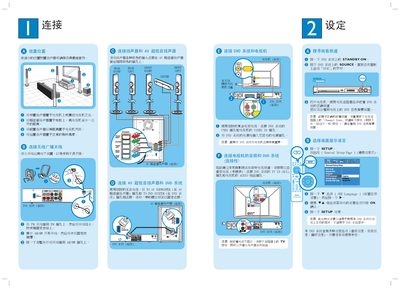
This guide explains how to place the speakers, connect the antenna, set up the DVD system, select the on‑screen language, and connect audio/video cables for optimal performance. It also covers DVD playback, radio tuning, surround‑sound mode selection, and basic troubleshooting steps.
The package includes a center speaker, two front speakers, two rear speakers, a subwoofer, a DVD system, remote control, batteries, and various cables. For additional help, refer to the printed manual or visit www.philips.com. This manual is written in Chinese.
| Subwoofer distance from TV | at least 1 meter |
|---|---|
| Speaker package contents | 1 center, 2 front, 2 rear, 1 subwoofer |
| Supported audio presets | CONCERT, DRAMA, ACTION, SCI‑FI |