
The OMRON Wireless SS Terminal WT30 is a wireless system that is ideal for monitoring production equipment. It has an I/O on the wireless sub-unit, is 90mm high, and is DIN rail-mountable, and can be installed inside a control cabinet. The wireless communication status can be easily confirmed by the main LED. The I/O sub-unit can also be used as a sub-unit of the WD30 system. It has been certified to meet Japanese, Chinese, American, and European radio standards.
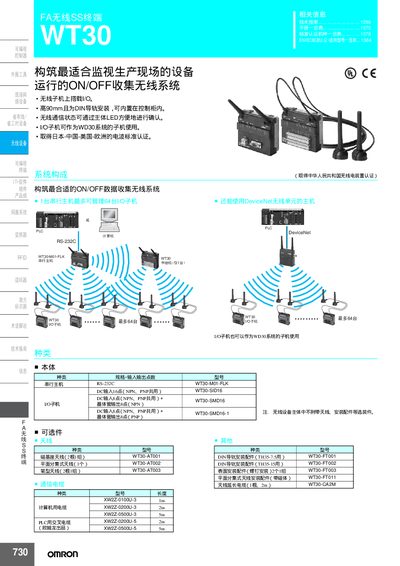
This manual describes the Omron WT30 Wireless SS Terminal, a DIN‑rail‑mountable device for factory automation that complies with international radio standards. It outlines the device’s hardware options, antenna accessories, and safety certifications.
The guide covers installation on a DIN rail, power connections, RS‑232C interface wiring, configuration of channel and node settings, LED status indicators, and detailed electrical specifications such as input voltage, I/O points, and wireless communication parameters. This manual is written in Chinese.
| Nominal Input Voltage | DC24 V |
|---|---|
| Input Voltage Range | DC20.4 V ~ 26.4 V |
| Operating Frequency | 2401 – 2480.2 MHz |
| Number of Channels | 67 |
| Wireless Data Rate | 100 kbit/s |
| DC Input Points | 16 |
| Transistor Output Points | 8 |
The WT30 operates in the 2401 – 2480.2 MHz band.
Up to 67 channels can be selected via the channel switch.