
This quick start guide is intended to help you quickly set up and use your TV. For detailed information on installation and safety precautions, please be sure to read the enclosed User's Manual.
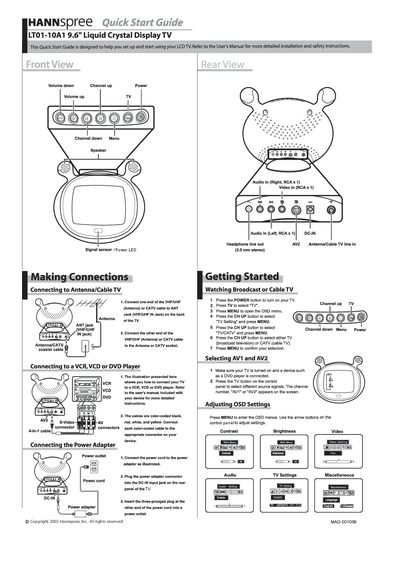
This Quick Start Guide helps you set up and begin using the Hannspree LT01-10A1 9.6" LCD TV. It provides brief instructions for connecting antennas, cable, and external video sources, as well as basic operation of the remote control.
Key steps include connecting the VHF/UHF or CATV cable to the ANT jack, linking a VCR/VCD/DVD player with color‑coded cables, powering the unit, selecting TV or AV inputs, and adjusting OSD settings such as contrast and brightness using the arrow keys.
| Screen size | 9.6 inches |
|---|