
This document is a quick start guide for a 12.1-inch LCD TV. It provides information about the appearance and features of the TV, as well as instructions on how to set up and use it. It also includes steps for connecting devices and adjusting the main menu settings.
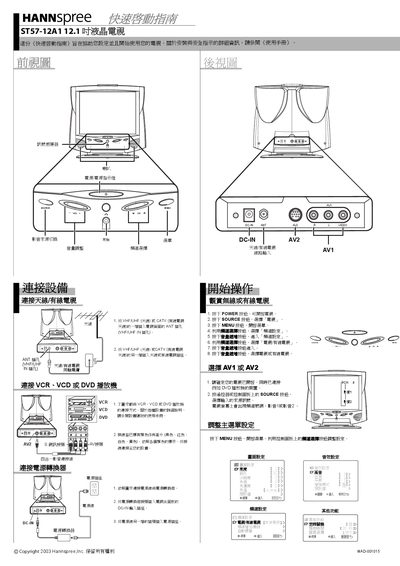
This Quick Start Guide helps you set up the Hannspree ST57-12A1 12.1" LCD TV safely and start using it quickly. It includes basic safety reminders and points you to the full User Manual for detailed instructions.
The guide walks you through connecting the antenna or cable TV input, attaching the power adapter, and using the remote control to turn the TV on, select sources, and adjust OSD settings.
| Screen size | 12.1 inches |
|---|
Connect one end of the VHF/UHF (Antenna) or CATV cable to the ANT jack on the back of the TV, and the other end to the antenna or CATV socket.
Press the POWER button on the remote or TV panel to turn the TV on.
Press the SOURCE button to select "TV", AV1, or AV2 as needed.
Open the OSD menu with the MENU button and use the arrow keys on the remote to change settings.