
ST34-15A1 15-inch LCD TV is a TV product with multiple connection options and features. It can receive signals through antenna or cable TV, and can also connect to other devices such as DVD players. It also has various image and sound adjustment options, allowing users to adjust according to their needs.
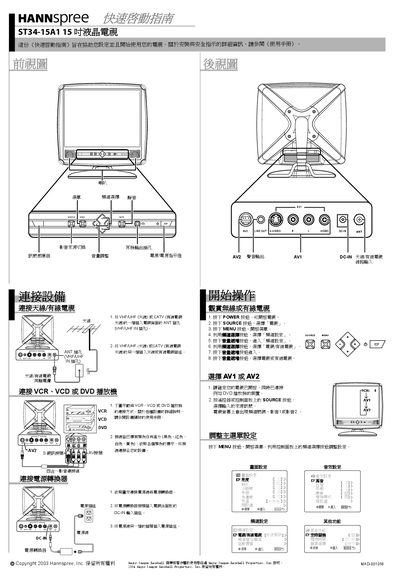
This Quick Start Guide helps you set up and start using the Hannspree ST34-15A1 15‑inch LCD TV. It provides essential instructions for connecting antennas, cable, and external devices, as well as powering the unit.
Key sections include making antenna/cable connections, attaching a VCR/VCD/DVD player, connecting the power adapter, selecting AV inputs, and adjusting on‑screen display settings using the remote control.
| Screen size | 15 inches |
|---|---|
| Power input | DC‑IN jack |
Connect one end of the VHF/UHF (Antenna) or CATV cable to the ANT jack on the back of the TV, and the other end to the antenna or CATV socket.
Press the POWER button to turn on the TV, then press the SOURCE button to choose TV, AV1, AV2, or other inputs.