
DVP06XA-H Analog Input/Output Hybrid Module can accept external 4 analog signal inputs(either voltage or current), convert it to 12-bit digital signals. And the analog output section accepts 2 sets of 12-bit digital data from the PLC host, then converts the digital data to 2 analog signal outputs(either voltage or current).
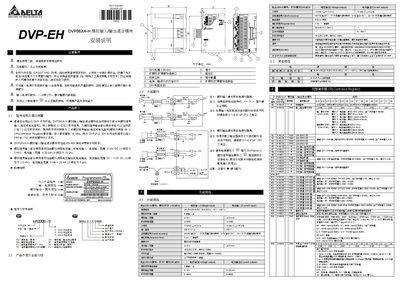
This manual provides step‑by‑step installation instructions for the Delta DVP06XA-H analog input/output module. It includes safety precautions, wiring diagrams, power requirements and LED indicators.
The document also details the module's functional specifications, register settings, communication parameters (RS‑485, ASCII/RTU), and procedures for adjusting A/D and D/A conversion characteristics, plus fault diagnosis guidelines. This manual is written in Chinese.
| Input voltage range | ±10 V DC |
|---|---|
| Input current range | ±20 mA |
| Voltage input resolution | 5 mV |
| Current input resolution | 20 µA |
| Power supply voltage | 24 VDC (20.4‑28.8 VDC) |
| Analog input channels | 4 |
| Analog output channels | 2 |
| Overall accuracy (25 °C) | ±0.5 % |
| Overall accuracy (0‑55 °C) | ±1 % |
| Response time per channel | 3 ms |
| Communication interface | RS‑485, ASCII/RTU, 4800‑115200 bps |
Use register CR#31 to set the address; valid values are 01 to 255.
Supply the module with 24 VDC (acceptable range 20.4 VDC to 28.8 VDC).