
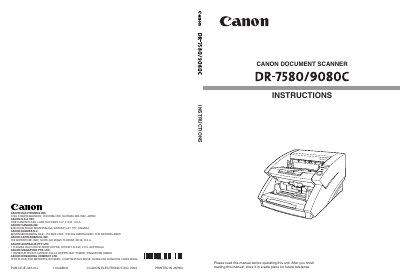
Canon DR-7580/9080C Document Scanner User Manual


Canon DR-7580/9080C Document Scanner User Manual - cover page
Brand
Canon
Category
Other Electronics
Document type
User Manual
Language
English
Pages
110
File format
PDF
File size
1.9 MB
Published
15 November, 2011
Updated
29 September, 2023
MD5 checksum
C5964FF1946B71F8841CFD4691665A68

About this manual

This manual introduces the Canon DR-7580/9080C document scanner, covering safety precautions, installation, power supply, and required software drivers. It explains how to connect the scanner via SCSI or USB, configure the SCSI ID, and install the ISIS/TWAIN driver and CapturePerfect software.

Further sections describe document feeding methods, scanning procedures, special functions such as patch code scanning, and detailed troubleshooting steps. Daily cleaning, roller replacement, and specifications are also included to help keep the scanner operating reliably.

What's inside

  • Introduction
  • Safety Precautions
  • Installation and Power Supply
  • Connecting to a Computer (SCSI/USB)
  • Software Installation and Use
  • Document Feeding and Scanning
  • Other Functions (Detection)
  • Troubleshooting
  • Daily Cleaning and Maintenance
  • Specifications

Frequently asked questions

What can happen if a warning is ignored?

Ignoring a warning could result in death or serious injury to the user or coworkers.

How is the scanner software installed?

Install the ISIS/TWAIN driver and then the CapturePerfect application as outlined in Chapter 3.

What steps should I follow to clear a paper jam?

Refer to Chapter 6 for clearing paper jams in the feed unit or exit section, following the illustrated procedures.

Download PDF (1.9 MB)

More Canon Manuals


View all Canon manuals →