
P-touch 1010 user manual, introduces the features and characteristics of P-touch 1010, usage methods, precautions, etc.
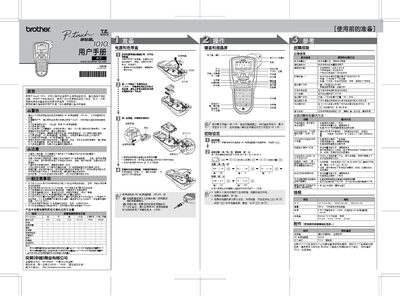
This manual provides safety warnings, initial setup steps, and detailed operating instructions for the Brother P‑touch 1010 label printer. It covers battery and AC adapter installation, date/time configuration, and how to create and print custom labels using the built‑in keyboard and LCD.
Additional sections describe the specifications, supported tape widths, accessories, memory functions, and a comprehensive troubleshooting guide for common error messages and hardware issues. This manual is written in Chinese.
| Dimensions (W×D×H) | 107.4 mm × 202.6 mm × 56.6 mm |
|---|---|
| Weight | 365 g (excluding battery and tape) |
| Power source | 6 × LR03 alkaline batteries or optional AC adapter AD‑24 |
| Supported tape widths | 3.5 mm, 6 mm, 9 mm, 12 mm |
| Battery type | LR03 (7 V) alkaline cells, 6 pieces |
Press the [时间&日期] button, then select [时钟设置] and enter the year, month, day and time using the keypad.
The device uses six LR03 (7 V) alkaline cells; to replace, remove the old batteries, insert six new LR03 cells with correct polarity, and close the battery cover.