
Instruction manual, introducing the functions and usage of the watch.
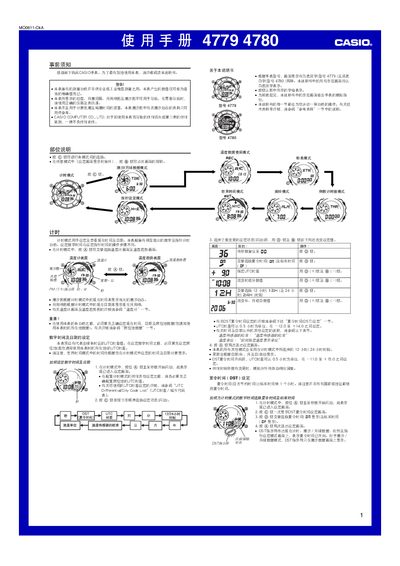
This Casio user manual covers the 4779 and 4780 watches. Model 4779 has a white screen with black digits, while model 4780 has a black screen with white digits. It explains button functions, mode switching, and display indications.
The manual provides instructions for setting digital and analog time, date, home data (UTC differential, longitude, and lunitidal interval), daylight saving time, world time, tide and moon data, stopwatch, countdown timer, alarms, and temperature measurement with sensor calibration. This manual is written in Chinese.
| Temperature display range | -10.0°C to 60.0°C (14.0°F to 140.0°F) |
|---|---|
| Temperature unit | °C or °F |
| Temperature resolution | 0.1°C (0.2°F) |
| UTC differential range | -12.0 to +14.0 hours |
| Date setting range | January 1, 2000 to December 31, 2099 |
| Longitude range | 0° to 180° |
In Timekeeping mode, hold A until the seconds flash, press C to select the setting item, then use D and B to change the value.
The factory default home data is UTC differential +9.0, longitude east longitude 140 degrees, and lunitidal interval 5 hours 20 minutes.
The thermometer screen displays temperatures from -10.0°C to 60.0°C, or 14.0°F to 140.0°F.
The date can be set from January 1, 2000 to December 31, 2099.