
This document provides the pre-use instructions for using CASIO watches, including exposing the watch to light for charging, the power-saving function of the watch, and how to set the time and date. The watch uses a solar-powered battery to store energy and needs to be exposed to light to maintain normal operation.
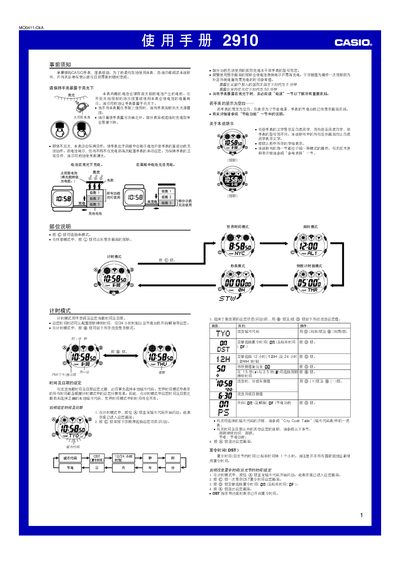
This manual provides step‑by‑step instructions for operating the Casio 2910MO0411-CkA solar‑powered watch. It covers basic functions such as time and date setting, world‑time, alarm, countdown timer, stopwatch, and illumination, as well as power‑saving features and safety warnings.
The guide also details how to charge the built‑in solar cell, how to enable or disable automatic lighting, and how to troubleshoot common issues like a blank display or low‑battery warnings. This manual is written in Chinese.
| Battery type | Solar cell with rechargeable secondary battery |
|---|---|
| Charging time in bright sunlight | ≈ 5 minutes |
| Charging time under indoor fluorescent light | ≈ 50 minutes |
| Display style | White background, black text |
| Stopwatch range | 23 h 59 min 59.99 s |
| Countdown timer range | 1 – 60 minutes |
| Year setting range | 2000 – 2099 |
| World‑time cities | 30 cities (29 time zones) |
Press and hold the L button for about 2 seconds in any mode to toggle the automatic illumination on or off.
A blank display indicates that the power‑saving function has turned off the screen to conserve battery.
Approximately 5 minutes of exposure to strong sunlight is enough to raise the battery level.