
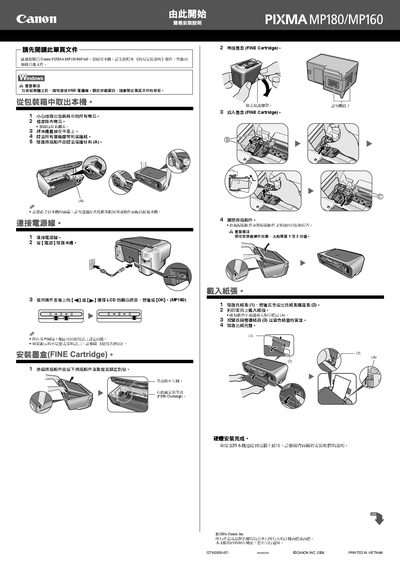
The guide walks you through the hardware setup of the Canon MP180/MP160 printer, including safety precautions, connecting the power cord, loading the FINE ink cartridges, and loading paper. It also explains how to position the scanner unit and prepare the printer for use.
Software installation steps are covered in detail, with instructions for using the Easy Install program, selecting language and residence settings, and installing the driver on Windows (XP, 2000, Vista, etc.) or Mac OS X. The guide notes that the USB cable should not be connected until after the driver is installed and that administrator rights are required for Windows installations. This manual is written in Chinese.