
This manual is about the BK-919 user manual, which includes power supply, precautions, functional component names, battery installation, operation instructions, safe charging, playback, pause, stop, repeat time switching, instant repeat speed function, one breath repeat, instant follow-up comparison speed, manual repeat, automatic repeat, computer recording, manual follow-up comparison, automatic follow-up, automatic follow-up comparison, follow-up repeat, vowel retention, consonant update, section repeat (repeat extraction), fast rewind, tape recording, time setting, troubleshooting, technical specifications, after-sales service, etc.
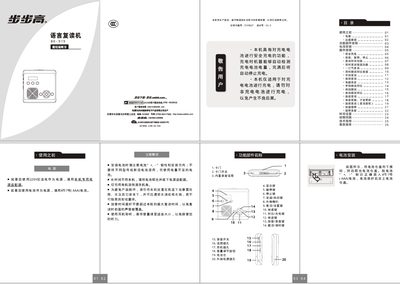
The BK-919 is an educational audio device that supports rechargeable battery operation, playback of recorded audio, and multiple repeat and speed‑control functions. It can use four AAA batteries or an external 220 V AC adapter for power.
The manual explains how to install batteries, charge safely, operate playback and recording, use instant speed‑change, automatic repeat, and follow‑up comparison features, and includes troubleshooting tips and technical specifications. This manual is written in Chinese.
| Power supply voltage | DC 6 V |
|---|---|
| Headphone impedance | 169 Ω |
| Headphone rated output power | 10 mW |
| Speaker impedance | 49 Ω |
| Speaker rated output power | 0.25 W |
| Maximum repeat time (high‑fidelity mode) | 240 seconds |
| Maximum repeat time (normal mode) | 480 seconds |
Insert rechargeable batteries, connect the external power adapter, then press and hold the compare/charge key for about 2 seconds; the screen shows “充电” and charging stops automatically when full.
After powering on, press and hold the play/record key for about 2 seconds; the screen will indicate the current mode (high‑fidelity or normal).
Press the follow/adjust key to start recording your voice (子音); then press the compare/charge key to playback and compare with the original audio.