
Key facts
- Manuals
- 95
- Models
- 6
- Categories
- 6
- Languages
- ZH · EN · JA
- Last added
- 2012-04-01
BBK(vivo) models by category
Featured BBK(vivo) manuals
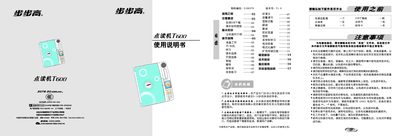
BBK T600 User Manual
The BBK T600 is an electronic learning device for children aged 5‑12 that uses a point‑reading pen, SD card storage and USB download to deliver English, language and math lessons. The manual describes the hardware components, power options, battery installation, SD‑card handling and the various learning modules such as learning, word‑recall, pronunciation practice and quizzes.
Safety guidelines, battery replacement, formatting the SD card, updating textbook files and troubleshooting steps are provided to ensure reliable operation and long service life. This manual is written in Chinese.
Covers: Safety Instructions · Components Overview · Power and Battery · SD Card Management · USB Download · Learning Modules
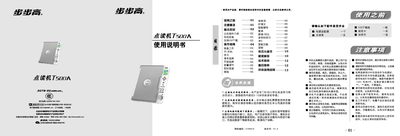
BBK T500A Reading Pen User Manual
The BBK T500A is an educational reading pen designed for children aged 5‑12 to learn English and Chinese. It includes a main unit, a USB download cable, a power adapter, and a point‑reading pen.
The manual covers battery installation, USB data download, basic operation (power on/off, learning modes, volume control, speed adjustment), and troubleshooting steps such as battery checks, formatting, and error handling. This manual is written in Chinese.
Covers: Basic Knowledge · Main Unit Components · Battery Installation · USB Download Support · Operation Guide · Learning Functions
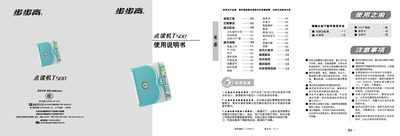
BBK T500 Point Reading Machine User Manual
This manual explains how to set up the BBK T500 point reading machine, including required accessories such as the power adapter, USB download cable, and the point‑reading pen. It covers safety precautions, battery installation, and proper handling to avoid damage.
The guide details the device’s learning functions—such as listening to lessons, intelligent tutoring, word‑by‑word practice, MP3 playback, and testing—along with instructions for formatting, firmware updates, and troubleshooting common issues. This manual is written in Chinese.
Covers: Safety Precautions · Accessories and Parts · Battery Installation and Care · Operation Buttons and Modes · Learning Functions · MP3 Playback
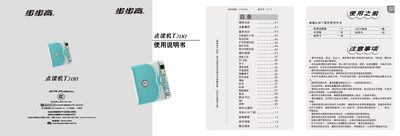
BBK T300 Point-Reading Device User Manual
This manual introduces safety precautions, the main components, battery installation, and storage‑card expansion for the BBK T300 point‑reading device. It explains how to power the unit with a dedicated adapter or four AA batteries, how to insert and format a storage card, and how to protect the device from environmental hazards.
The guide details the device’s learning functions such as music playback, English‑Chinese dictionary, MP3, pet‑learning mode, and various interactive keys (speed, volume, test, dictation, repeat, follow‑up). Troubleshooting sections cover power issues, unresponsive pens, storage‑card errors, and audio problems, with clear step‑by‑step checks. This manual is written in Chinese.
Covers: 使用之前 · 注意事项 · 基本知识 · 主机部件介绍 · 电池安装 · 扩充存储功能
Latest BBK(vivo) manuals
BBK BBK V305 user manual
This document is the user manual for a GSM dual-band GPRS digital mobile phone manufactured by Guangdong BBK Electronics Industry Co., Ltd. The manual includes information about the manufacturer, after-sales service, and product standards. Users are advised to read this manual carefully before using the product.
BBK VIVO V1 user manual
The document introduces a product called vivo V1 WCDMA. This product features high performance and high definition, suitable for various scenarios.
BBK BBK V207 Manual
This is a standard configuration table, which lists the standard configuration information of the machine in detail
BBK BBK K103 Manual
This document is about the technical specifications of a certain electric car. The model is XXX, and it is equipped with XXX, XXX, XXX and other technologies, which can achieve XXX, XXX, XXX and other functions.
Manual
HUAWEI FreeBuds 4 provides a superior wireless audio experience
BBK BBK i267 Manual
This document provides a detailed introduction to the characteristics and features of a certain brand and model of product
BBK BBK V312 phone user manual
The document introduces the standards YD/T 1215-2006 and YD 1032-2000, as well as product information related to GSM and GPRS communication. The product features a USB interface and V312 V1.0 version, supporting various functions and features.
BBK T600 User Manual
User Manual 5 pages · 19.4 MB · ZHThe BBK T600 user manual explains setup, operation, and maintenance of the English learning point‑reading device.
BBK T500A Reading Pen User Manual
User Manual 4 pages · 19.3 MB · ZHThe BBK T500A reading pen user manual provides setup, operation, and troubleshooting instructions for the educational device.
BBK T500 Point Reading Machine User Manual
User Manual 4 pages · 15.9 MB · ZHThe BBK T500 point reading machine user manual provides setup, operation, safety, and troubleshooting instructions.
BBK T300 Point-Reading Device User Manual
User Manual 4 pages · 3.1 MB · ZHThe BBK T300 point‑reading device manual provides setup, operation, battery, storage card and troubleshooting instructions.
BBK T200 Point-Reading Device User Manual
User Manual 4 pages · 1.7 MB · ZHThe BBK T200 point‑reading device manual provides setup, operation, and troubleshooting instructions.
BBK T100 Point-Reading Pen User Manual
User Manual 4 pages · 1.3 MB · ZHThe BBK T100 point‑reading pen manual provides setup, operation, safety and troubleshooting instructions for the educational device.
BBK Audio Player User Manual
User Manual 101 pages · 2.3 MB · ZHThe BBK audio player user manual provides operating instructions, feature descriptions, and safety information for the device.
BBK V10 Digital Walkman Manual
Other 103 pages · 2.5 MB · ENManual for the BBK V10 digital walkman covering basic operation and troubleshooting.
Which document do I need?
User Manual
Day-to-day operation, settings and troubleshooting. Start here if the product is already set up.
Questions answered in BBK(vivo) manuals
How do I replace the batteries?
Use four AA (5号) batteries and insert them with the correct polarity (+ / –).
Why won't the device turn on?
Check that the power adapter or batteries are properly connected and that the power button is pressed correctly.
Can I use the device with a 220 V AC power source?
Yes, use the supplied power adapter designed for the BBK T500 when connecting to 220 V AC.
How do I format the storage card?
Turn off the device, insert the card, then follow the on‑screen prompts to format (supports FAT16/FAT32).
The device does not power on – what checks should I make?
Verify the power adapter and battery contacts, ensure the battery is charged, and confirm the power button is not stuck.
How do I replace the batteries?
Open the battery compartment, insert four AA (5号) batteries with the correct polarity, and close the cover. Replace the batteries when the sound becomes low or the screen dims.