
Key facts
- Manuals
- 22
- Brands
- 6
- Languages
- ZH · JA
- Last added
- 2012-04-12
Featured Digital repeater manuals
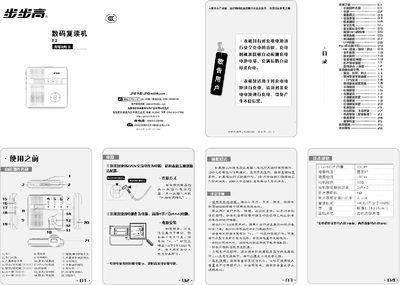
BBK F2 Digital Repeater User Manual
The BBK F2 digital repeater is a portable audio device that supports both tape and MP3 playback, recording, and a range of study functions such as repeat, compare, and speed control. The manual covers power options (AC adapter or 4×AAA batteries), safety charging, and how to connect the unit to a computer via USB for file transfer.
Key sections describe the user interface, mode selection, recording and playback procedures, battery management, and a troubleshooting guide for common issues like no sound, distorted playback, or file errors. Technical specifications and warranty information are also provided. This manual is written in Chinese.
Covers: Safety Charging · Power Supply and Battery · Display and Interface · MP3 and Tape Mode Switching · Recording and Playback · USB Connection and File Transfer
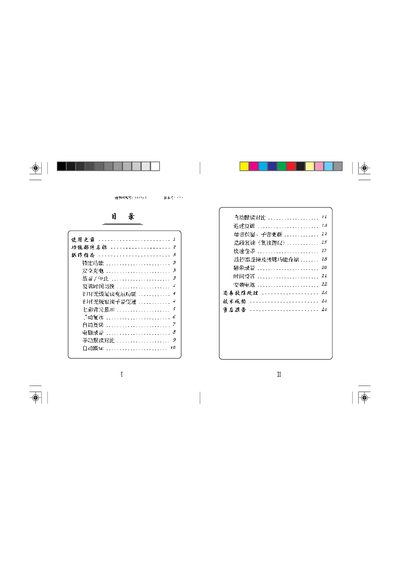
BBK Repeater User Manual
This manual explains the basic functions of the BBK Repeater, including how to power the unit with either AC mains or four AA batteries, how to adjust volume, and how to use the lock and automatic reading features. Detailed steps are given for recording, playback, and comparing recordings.
The document also covers safety precautions, battery removal, and troubleshooting tips such as checking the power adapter, speaker connections, and volume settings. Contact information for service centers in China is provided at the end. This manual is written in Chinese.
Covers: 功能部件名称 · 操作指南 · 时间设置 · 锁定功能 · 电池安装 · 自动跟读
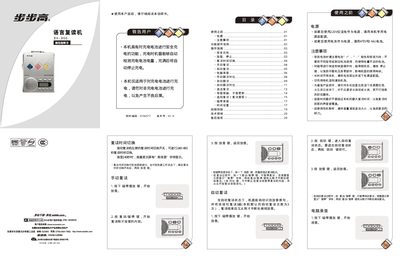
BBK BK-866 Digital Repeater User Manual
This manual explains the safety charging function of the BK-866, how to insert batteries, and precautions to avoid damage. It also describes the various operation modes, including manual playback, automatic playback, and fast forward/rewind functions.
The document lists component names, button functions, and detailed specifications such as power supply voltage, headphone impedance, and audio format. Service contact information and warranty details are provided at the end. This manual is written in Chinese.
Covers: Safety Charging · Battery Installation · Component Names · Operation Guide · Playback Modes · Automatic Mode
Repeater User Manual
This manual provides safety information, a description of the device’s controls and connectors, and step‑by‑step operating instructions for both manual and automatic repeat modes. It also includes a troubleshooting guide and technical specifications.
The document is organized into sections covering component identification, key functions such as fast‑forward, playback, automatic voice comparison, and detailed instructions for charging the battery safely. This manual is written in Chinese.
Covers: Safety Information · Component Identification · Operating Instructions · Automatic and Manual Repeat Modes · Charging Procedure · Troubleshooting
Latest Digital repeater manuals
Noahedu Manual(3)
This document is the manual for Noahs Ark NE260 reading machine, which mainly introduces the functions, operation methods and precautions of the product.
Noahedu Manual(2)
This is a user manual for a reading machine, which includes instructions for use, precautions, common fault troubleshooting and other content
Noahedu Manual(1)(1)
The manual introduces the basic functions and usage methods of NP13 reading machine, including power on, file selection, book positioning, quick page selection, and reading learning, and provides detailed operation instructions and illustrations.
Noahedu Manual(1)
NP16 Reading Machine User Manual, mainly introduces the use of reading machine, including power on, book file selection, book positioning, quick page selection, reading learning and other contents.
Noahedu NP18 Manual
This document is the user manual for NP18 reading pen, which introduces the precautions, basic knowledge, installation operation, basic usage instructions, specific function operations, common troubleshooting, technical specifications, after-sales service, and environmental protection instructions.
BBK F2 Digital Repeater User Manual
User Manual 4 pages · 1.6 MB · ZHThis manual explains how to operate, charge, use MP3/tape functions, and troubleshoot the BBK F2 digital repeater.
BBK BK-916A digital Repeater Manual
BBK Repeater User Manual
User Manual 13 pages · 960 KB · ZHThe BBK Repeater User Manual provides operation instructions, battery setup, lock function, and troubleshooting for the device.
BBK Repeater Manual(8)
BBK BK-866 Digital Repeater User Manual
User Manual 4 pages · 2 MB · ZHThe BBK BK-866 digital repeater user manual provides safety charging instructions, operation steps, and technical specifications.
Repeater User Manual
User Manual 10 pages · 1.2 MB · ZHChinese user manual for a language‑learning repeater device with operation, safety and troubleshooting instructions.
BBK Repeater User Manual
User Manual 9 pages · 2.7 MB · JAThe BBK Repeater User Manual provides operating instructions, safety notes, and basic setup information for the BBK Repeater.
BBK BK-782K Language Repeater User Manual
User Manual 16 pages · 1.9 MB · ZHThe BBK BK-782K Language Repeater User Manual provides setup, operation, and troubleshooting instructions for the device.
BBK Repeater User Manual
User Manual 8 pages · 2 MB · ZHThe BBK Repeater User Manual provides operating instructions, troubleshooting tips, and specifications for the device.
Ni-MT User Manual
User Manual 16 pages · 2.1 MB · ZHUser manual for the Ni-MT device covering operation, specifications and troubleshooting.
- 1
- 2
Which document do I need?
User Manual
Day-to-day operation, settings and troubleshooting. Start here if the product is already set up.
Questions answered in Digital repeater manuals
How do I switch between tape and MP3 mode?
Move the Tape/MP3 switch to the desired position; “Tape” selects tape mode and “MP3” selects MP3 mode.
How many batteries does the BBK Repeater use?
It uses four AA (7号) batteries.
From: BBK Repeater User Manual
How do you lock the device?
Press the lock button; the lock icon appears on the display and the device is locked until the button is pressed again.
From: BBK Repeater User Manual
How does the device handle battery charging?
The BK-866 has a safety charging function that stops charging automatically when the battery is full.
What type of batteries does the repeater use?
It uses AA batteries (4.5 V) that must be inserted correctly before operation.
What should I do if the LCD shows no display?
Check that the power adapter is correctly plugged in and that the battery contacts are clean and properly connected.
From: Repeater User Manual