
Key facts
- Manuals
- 84
- Models
- 20
- Categories
- 2
- Languages
- ZH · EN · JA
- Last added
- 2026-09-30
Polycom models by category
Featured Polycom manuals
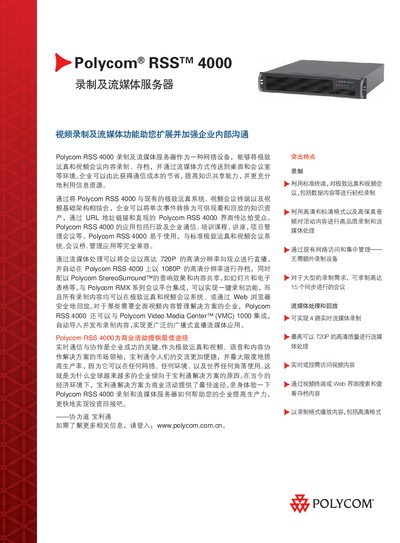
Polycom RSS 4000 Recording and Streaming Server Datasheet
The Polycom RSS 4000 is a network‑based recording and streaming server designed for enterprise video‑conference environments. It captures video, audio and content from standard endpoints, stores them, and delivers live or on‑demand streams to desktops and meeting rooms.
Key features include up to 15 concurrent recordings, 720 p real‑time streaming (up to 1080 p archival), H.239 dual‑stream content capture, and integration with Polycom Video Media Center (VMC) 1000 for automated content management. This manual is written in Chinese.
Covers: Key Features · Technical Specifications · Streaming · Security · Network Interface · Power

Polycom SoundStation2 User Manual
This guide begins with important safety precautions for the SoundStation2, such as keeping the device away from water, avoiding use during thunderstorms, and not inserting foreign objects into the ports. It also outlines proper installation practices, including wiring rules and placement of power outlets.
The manual then describes everyday operation, including the LCD back‑light display, LED status indicators, language selection (English, Spanish, Brazilian Portuguese), and how to recognize the Ready status when the phone powers on. Parts lists, wiring diagrams, and warranty information are also included. This manual is written in Chinese.
Covers: Safety Precautions · Parts List · Installation · Ready Status · LED Indicators · Language Settings
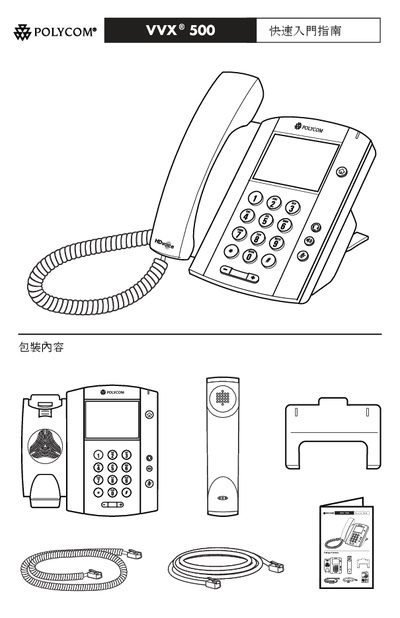
Polycom VVX 500 Telephone Quick Start Guide
The guide outlines the main features of the VVX 500 telephone, including optional wall‑mount accessories, color display, and support for both wired and wireless headsets. It explains how to connect the phone to power using an optional AC adapter or a 48 V DC external supply when Power over Ethernet is not available.
Safety and regulatory information is included, noting CE marking and compliance with relevant standards. The document also lists optional accessories such as headsets (RT‑9, USB, or RJ‑9 EHS) and provides guidance on proper installation and environmental limits. This manual is written in Chinese.
Covers: Features · Power Connection · Optional Headset · Safety and Regulatory Information · Optional Accessories

Polycom HDX System Administrator Guide
This guide covers the installation, hardware placement, network setup, audio/video configuration, security options and remote management for Polycom HDX video‑conferencing systems. It includes detailed procedures for connecting monitors, cameras, microphones, speakers, and for configuring LAN, SIP, H.323, and firewall settings.
The document applies to the HDX 9000, 8000, 7000, 6000 and 4000 series. Additional resources such as software installers, user guides, and API references are available from the Polycom support website. This manual is written in Chinese.
Covers: Introduction · Hardware Installation · Network Configuration · Monitor and Camera Setup · Audio Configuration · Content and Subtitles
Latest Polycom manuals
Polycom RSS 4000 Recording and Streaming Server Datasheet
Datasheet 2 pages · 1.3 MB · ZHThe Polycom RSS 4000 records and streams video conferences, supporting up to 15 simultaneous meetings and high‑definition video.
Polycom SoundPoint IP 560 Phone User Guide
This document is the User Guide for the Polycom® SoundPoint IP® 560 Phone SIP 3.1, August 2008 Edition 1725-12567-001 Rev. C. It provides instructions and an index for using the SoundPoint IP 560 phone.
Polycom IP 450 Phone User Guide
This document is about the Polycom IP 450 Phone User Guide. It describes basic phone features such as making calls, answering calls, ending calls, etc. It also introduces other features such as muting the microphone, holding and resuming calls, redialing numbers, transferring calls, forwarding calls, speed dialing, etc.
Polycom SoundPoint IP 450 Phone Quick User Guide
This document is the Quick User Guide for the Polycom SoundPoint IP 450 Phone, providing information on the basic phone features and customization options.
Polycom VoiceStation 300 User Guide
VoiceStation™ 300 is a voice conferencing device from Polycom, which uses unique Acoustic Clarity Technology to provide clear, full-duplex, two-way voice communication. VoiceStation™ 300 dynamically adapts to the room environment to eliminate echoes and clipping. Three built-in microphones pick up sound all around the room so you can speak naturally and be easily understood.
Polycom VVX 500 Business Media Phone User Guide
This document is the user guide for the Polycom VVX 500 Business Media Phone, describing its features and characteristics.
Polycom IP 331 Phone User Guide
This document is about the Polycom IP 331 Phone User Guide. It describes the basic phone features such as making, answering, and ending calls, muting the microphone, holding and resuming calls, redialing numbers, transferring calls, call forwarding, speed dialing, using Do Not Disturb (DND), voicemail, viewing call lists, three-party calls, university directory, customizing the phone, contact directory, adjusting speaker and ringer volume, and customizing ring tones.
Polycom CX500/CX600/CX3000 IP Phone User Guide
This document is the Polycom CX500/CX600/CX3000 IP Phone User Guide, which describes the features and characteristics of the phone.
POLYCOM Polycom SoundStation IP 7000 Phone user manual
This is the user guide for the Polycom SoundStation IP 7000 Phone
Polycom SoundStation IP 6000 Phone User Guide
This document is a user guide for the Polycom® SoundStation® IP 6000 Phone, describing the features and characteristics of the phone.
POLYCOM for the SoundPoint IP 550 SIP 2.1 Manual
This document is the user guide for the SoundPoint IP® 550 SIP 2.1 phone by Polycom Inc. It describes the features and characteristics of the phone.
Polycom SoundStation2 User Manual
User Manual 40 pages · 4.5 MB · ZHThe Polycom SoundStation2 User Manual provides safety instructions, installation steps, operation details, and specifications for the conference phone.
Polycom VVX 500 Telephone Quick Start Guide
Quick Start Guide 4 pages · 1.5 MB · ZHThis quick start guide provides basic setup and safety information for the Polycom VVX 500 telephone.
Polycom HDX System Administrator Guide
User Manual 270 pages · 15.3 MB · ZHThe Polycom HDX System Administrator Guide provides setup, configuration, management and troubleshooting instructions for HDX series video‑conferencing systems.
Polycom VoiceStation 300 User Manual
User Manual 16 pages · 875 KB · ENThe Polycom VoiceStation 300 user manual provides operating instructions, feature descriptions, and compliance information for the device.
Which document do I need?
Datasheet
Ratings, dimensions and ordering codes, for selection and design work.
User Manual
Day-to-day operation, settings and troubleshooting. Start here if the product is already set up.
Quick Start Guide
The shortest path to a working setup, usually only a few pages.
Questions answered in Polycom manuals
How many meetings can the RSS 4000 record at the same time?
It can record up to 15 meetings simultaneously.
From: Polycom RSS 4000 Recording and Streaming Server Datasheet
What type of network connection does the device use?
It provides two 10/100/1000 Mbps Ethernet ports.
From: Polycom RSS 4000 Recording and Streaming Server Datasheet
What safety precautions should be taken when using the SoundStation2?
Do not use the device in water, showers, or while it is wet, keep it away from thunderstorms, and never insert foreign objects into the ports.
Which languages can be displayed on the SoundStation2?
The device supports English, Spanish and Brazilian Portuguese for the on‑screen language.
Can the VVX 500 be wall‑mounted?
Yes, a wall‑mount kit is available as an optional accessory for mounting the phone on a wall.
What safety certifications does the VVX 500 have?
The device carries the CE marking and complies with the applicable safety and regulatory standards.