
Key facts
- Brand
- Symbol
- Model
- LS3578
- Category
- Other Electronics
- Industry
- Electronics
- Documents
- 4
- Languages
- ZH · EN
- Last added
- 2026-10-24
Start here
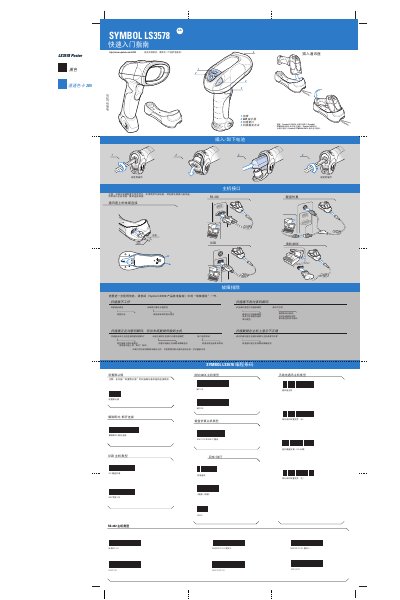
Symbol LS3578 Cordless Scanner Quick Start Guide
This document serves as a Quick Start Guide for the Symbol LS3578 cordless scanner. It covers essential setup procedures, including inserting batteries, connecting the scanner to a host interface, and pairing the device with a communication base. The guide also includes a section on troubleshooting common issues such as power failure, unreadable barcodes, and data transmission errors. This manual is written in Chinese.
Read onlineSymbol LS3578 specifications
| Dimensions | 18.65cm x 12.25cm x 7.43cm |
|---|---|
| Weight | 220g (with battery) |
| Battery Capacity | 2200mAh |
| Charging Time | 3 hours |
| Light Source | 650nm visible laser diode |
| Scan Rate | 36 scans per second |
| Minimum Decode Width | 7.5 mil (0.191 mm) |
| Operating Temperature | -20C to 50C |
| Storage Temperature | -40C to 60C |
| Protection Rating | IP65 |
| Drop Resistance | 6 ft / 2 m |
| Input Voltage | 4.75-14 VDC |
All Symbol LS3578 documents by type
Day-to-day operation, settings and troubleshooting. Start here if the product is already set up.
The shortest path to a working setup, usually only a few pages.
Questions answered in these manuals
What barcode formats does the LS3578 support?
It supports UPC, EAN, Code 39, Code 128, Code 93, Code 11, MSI, Code 32, and many others.
What interfaces are available for the LS3578?
The scanner supports RS232, Keyboard Wedge, Wand Emulation, Scanner Emulation, IBM 468X/469X, USB, and Synapse.
What are the LED indicator meanings for the Symbol LS3578?
A green light indicates successful barcode decoding, while a red light indicates a data transmission error or scanner fault.
How do I pair the Symbol LS3578 with its communication base?
To pair the device, scan the pairing barcode located on the communication base.
What should I do if the scanner is not powered on?
Check if the battery end cap is not properly fixed, and rotate it to secure the scanner.
How do I pair the scanner with the communication base?
Pair the scanner with the communication base using the 'pairing' barcode on the base.