
Key facts
- Manuals
- 28
- Models
- 7
- Categories
- 1
- Languages
- ZH · EN · JA
- Last added
- 2026-09-30
Symbol models by category
Featured Symbol manuals
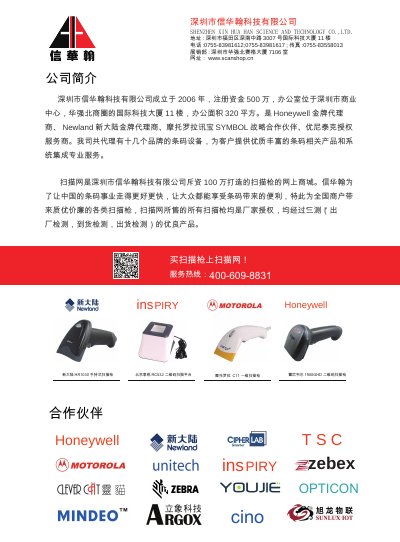
Symbol LS7708 Quick Reference Guide
This quick reference guide explains how to operate the Symbol LS7708 omnidirectional laser scanner. It covers power connection, LED status indicators, volume and wake‑up button functions, and the available ports for RS‑232, EAS interlock, auxiliary and host connections.
Installation instructions describe using the supplied mounting bracket for countertop or wall mounting, cable routing channels, and safety warnings. The guide also includes barcode scanning steps, FCC/IC regulatory compliance, and end‑of‑life recycling information. This manual is written in Chinese.
Covers: Introduction · Controls · Cable Routing · Installation · Scanning Barcodes · Regulatory Information
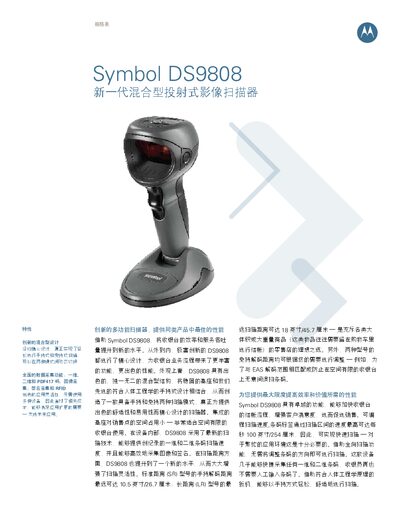
Symbol DS9808 Hybrid Projection Imaging Scanner Data Sheet
The Symbol DS9808 is a hybrid projection imaging scanner designed for retail point‑of‑sale environments. It combines a sturdy base with an ergonomic handheld design, offering both handheld and hands‑free scanning modes. The device captures 1D, 2D, PDF417 barcodes, images, signatures and can be equipped with an optional RFID module.
Key features include programmable scan speeds up to 100 in/s, a wide field of view, laser aiming mode for bright conditions, and robust durability that survives multiple 5‑ft drops onto concrete. The scanner supports USB, RS‑232, RS‑485, keyboard and Synapse interfaces and can be managed remotely via Remote Scanner Management (RSM). This manual is written in Chinese.
Covers: 规格表 · 物理参数 · 性能参数 · 码制解码能力 · 成像参数 · 接口

Symbol LS9203 Omni-directional Presentation Scanner Data Sheet
The LS9203 scanner provides both handheld and hands‑free operation, allowing POS staff to quickly capture barcodes in a high‑traffic environment. Its rugged construction includes an internal shock‑absorbing seat and a mounting bracket, enabling it to survive repeated drops onto concrete.
The device features a 650 nm visible laser, up to 1500 scans per second, and supports a wide range of symbologies such as UPC/EAN, Code 128, Code 39, and Interleaved 2 of 5. It operates from a 5 VDC supply (275 mA) and includes a comprehensive two‑year warranty and optional service plans. This manual is written in Chinese.
Covers: Features · Technical Specifications · Physical Parameters · Performance Parameters · Service and Support · Warranty

Symbol LS9203 Scanner Product Reference Guide
This guide covers everything needed to install and use the Symbol LS9203 handheld barcode scanner, including unpacking, power connection, interface cabling, and basic configuration. It also explains the scanner’s LED and buzzer indicators, hand‑held and hands‑free operation, and provides programming instructions for keyboard emulation, RS‑232, USB and Wand interfaces.
Additional sections describe maintenance procedures, troubleshooting tips, detailed technical specifications, and user preference settings such as symbology options, default parameters, and barcode conversion features. This manual is written in Chinese.
Covers: Getting Started · Scanning · Maintenance and Technical Specifications · User Preferences · Keyboard Emulation Interface · RS‑232 Interface
Latest Symbol manuals
Symbol LS7708 Quick Reference Guide
Quick Start Guide 37 pages · 10 MB · ZHThe Symbol LS7708 Quick Reference Guide provides basic operation, LED indicators, controls, cable routing, installation, and barcode scanning instructions.
Symbol DS9808 Hybrid Projection Imaging Scanner Data Sheet
Datasheet 4 pages · 605 KB · ZHThe Symbol DS9808 hybrid scanner provides handheld and hands‑free modes with high‑speed barcode, image, signature and optional RFID capture for retail checkout.
Symbol LS9203 Omni-directional Presentation Scanner Data Sheet
Datasheet 3 pages · 1.3 MB · ZHThe Symbol LS9203 is an omni-directional presentation scanner with durable design, plug‑and‑play setup, and extensive barcode support.
Symbol LS9203 Scanner Product Reference Guide
User Manual 325 pages · 11.4 MB · ZHThe Symbol LS9203 Scanner Product Reference Guide provides setup, operation, maintenance, interface and programming information for the LS9203 scanner.
Symbol MC1000 User Guide
MC1000 User Guide, introducing the features and usage methods of MC1000
Symbol LS3578 Product Reference Guide
Symbol LS3578 Product Reference Guide
SYMBOL LS2208 Quick Start Guide
The SYMBOL LS2208 is a barcode scanner with multiple interfaces such as RS-232, USB keyboard wedge, and IBM 46XX. It features LED indicators, parameter menu scanning, and audible alerts.
Symbol MC50 Mobile Computing System Manual
User Manual 2 pages · 422 KB · ZHThe Symbol MC50 mobile computing system manual provides specifications, features, and usage information for the enterprise handheld device.
Symbol PPT 8800 Quick User Guide
Quick Start Guide 34 pages · 1.9 MB · ENQuick guide for operating the Symbol PPT 8800 handheld device, covering basic setup, usage, and warranty information.
Symbol MC50 Data Collector User Manual
User Manual 4 pages · 520 KB · ZHThe Symbol MC50 data collector manual provides an overview, physical specifications, and usage details for this mobile data terminal.
Symbol LS7708 Barcode Scanner Product Leaflet
Product Leaflet 3 pages · 165 KB · ZHThe Symbol LS7708 barcode scanner offers hands‑free scanning, multi‑directional raster mode, RSS barcode support and integrated EAS for retail use.
Symbol LS-6000 bar code scan Implement Manual
Symbol LS4278 Scanner Quick Reference Guide
Quick Start Guide 20 pages · 2.2 MB · ENThe Symbol LS4278 Scanner Quick Reference Guide provides essential setup, operation, beep and LED indicators, troubleshooting, and programming bar codes.
Symbol hand-held digital Imaging Instrument scan Implement DS6707-HD Manual
Symbol AP-5131 Access Point Installation Guide
Installation Guide 48 pages · 2.1 MB · ENInstallation guide for the Symbol AP-5131 wireless access point, covering setup, power, antenna and configuration.
- 1
- 2
Which document do I need?
Quick Start Guide
The shortest path to a working setup, usually only a few pages.
Datasheet
Ratings, dimensions and ordering codes, for selection and design work.
User Manual
Day-to-day operation, settings and troubleshooting. Start here if the product is already set up.
Installation Guide
Mounting, wiring and first power-up. Read it before the hardware goes in.
Questions answered in Symbol manuals
How do I turn the LS7708 on?
The scanner has no on/off switch; it powers on automatically when the power cable is connected.
Can the DS9808 be used with RFID?
Yes, an optional RFID module is available for the LR model, enabling UHF Gen2 tag reading.
From: Symbol DS9808 Hybrid Projection Imaging Scanner Data Sheet
What interfaces does the DS9808 provide?
The scanner supports USB, RS‑232, RS‑485 (IBM 46xx protocol), a keyboard interface and Synapse connectivity.
From: Symbol DS9808 Hybrid Projection Imaging Scanner Data Sheet
What power does the LS9203 require?
It runs from a 5.0 VDC supply with a current draw of 275 mA (about 1.4 W).
From: Symbol LS9203 Omni-directional Presentation Scanner Data Sheet
How fast can the LS9203 scan barcodes?
The scanner can capture up to 1500 scans per second.
From: Symbol LS9203 Omni-directional Presentation Scanner Data Sheet
What operating system does the MC50 run?
It runs Microsoft Windows Mobile 2003 Second Edition.