
Key facts
- Brand
- Soyal
- Model
- AR-727-CM
- Category
- Communications equipment
- Documents
- 2
- Languages
- EN · ZH
- Last added
- 2026-10-31
Start here
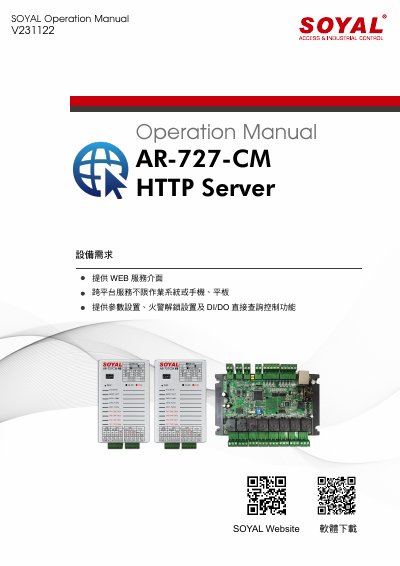
SOYAL AR-727-CM HTTP Server Operation Manual
This manual describes the SOYAL AR-727-CM HTTP server used with AR-727-CM, AR-727-CM-IO-0804M, and enterprise-series controllers. It explains web-based setup, network settings, RS485 port settings, IO direct control, TCP/IP converter functions, fire alarm linkage, Server/Client mode, Modbus TCP to RTU, and password changes.
It also provides interface screenshots, parameter ranges, default login information, and a short FAQ with RS485 cable and connection recommendations. This manual is written in Chinese.
SOYAL AR-727-CM specifications
| Ethernet Interface | 10/100 Mbps auto-negotiation |
|---|---|
| CPU | 32 bits/50MHz ARM CPU |
| UART Ports | Dual UART port supported |
| Buffer Size | 4K/4K Rx/Tx buffer |
Source: SOYAL AR-727iV3 / AR-727CM V3 Serial-to-Ethernet Device User Manual
All SOYAL AR-727-CM documents by type
Day-to-day operation, settings and troubleshooting. Start here if the product is already set up.
Questions answered in these manuals
How do I configure the IP address for the AR-727iV3?
Use the web console: connect to the device via browser at http://192.168.1.127, navigate to [Network Setting], and enter a new IP address.
From: SOYAL AR-727iV3 / AR-727CM V3 Serial-to-Ethernet Device User Manual
What is the default web browser address for the device?
The factory default IP address is http://192.168.1.127.
From: SOYAL AR-727iV3 / AR-727CM V3 Serial-to-Ethernet Device User Manual
How many card readers or controllers can one RS485 channel connect?
The manual recommends connecting up to 8 card readers or controllers per RS485 channel.
What is the maximum RS485 cable length?
RS485 can theoretically reach 1200 m; for parallel wiring over 300 m, the manual recommends an AR-485REP-V3 signal repeater.