
User manual for SOYAL's AR-727iV3 and AR-727CM V3 serial-to-Ethernet devices with configuration, firmware update, and networking setup instructions.
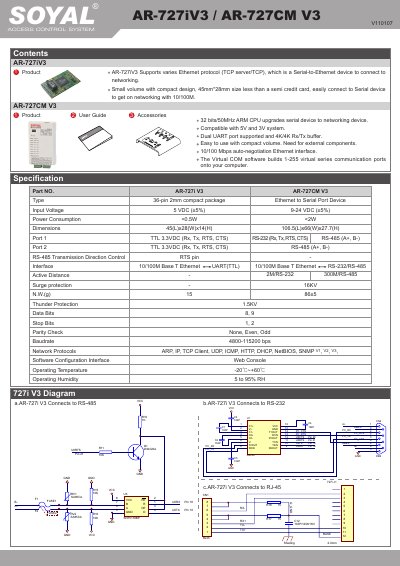
This document provides setup and configuration instructions for SOYAL's AR-727iV3 and AR-727CM V3 serial-to-Ethernet devices. It covers pin assignments, network protocols, IP configuration via web console, and firmware update procedures. The devices support RS-232 and RS-485 interfaces and feature a compact 10/100 Mbps Ethernet interface for connecting serial devices to networks.
The manual includes details on UART port settings, DHCP configuration, and web-based IP address management. It also explains how to update firmware using the provided UdpUpdater.exe software and configure operation modes (server or client) for remote access.
| Ethernet Interface | 10/100 Mbps auto-negotiation |
|---|---|
| CPU | 32 bits/50MHz ARM CPU |
| UART Ports | Dual UART port supported |
| Buffer Size | 4K/4K Rx/Tx buffer |
Use the web console: connect to the device via browser at http://192.168.1.127, navigate to [Network Setting], and enter a new IP address.
The factory default IP address is http://192.168.1.127.
Set to [Server] or [Client] mode; in Server mode, set [Remote Port] to 0 and [Remote IP] to 0.0.0.0; in Client mode, set [Remote IP] to the server’s IP.