
Key facts
- Brand
- Siemens
- Model
- ET 200pro
- Category
- Automation control Equipment
- Industry
- Industrial
- Documents
- 4
- Languages
- EN · JA
- Last added
- 2026-11-24
Start here
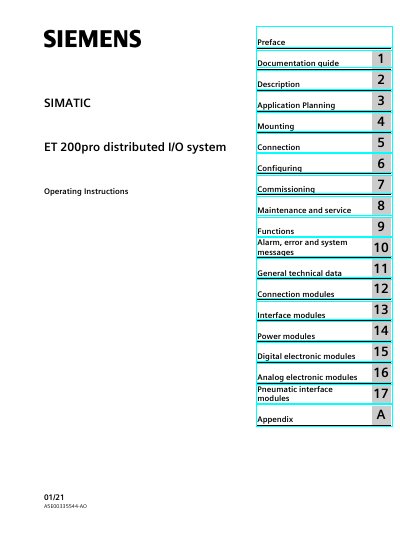
Siemens SIMATIC ET 200pro Distributed I/O System Operating Instructions
The Siemens SIMATIC ET 200pro Operating Instructions describe the distributed I/O system and its connection modules, interface modules, power modules, digital and analog electronic modules, and pneumatic interface modules.
The manual covers application planning, mounting, connection, configuration, commissioning, maintenance and service, functions, alarm and error messages, and general technical data.
Siemens ET 200pro specifications
| Document Version | 5.0 |
|---|---|
| Document Date | 2020 |
| Total Pages | 126 |
Source: Siemens SIMATIC ET 200pro/SIRIUS/SINAMICS Supplementary Products Overview
All Siemens ET 200pro documents by type
Day-to-day operation, settings and troubleshooting. Start here if the product is already set up.
Disassembly, diagnostics and part numbers, for repair.
Questions answered in these manuals
What is the purpose of this manual?
It provides the information needed to commission the ET 200pro distributed I/O system.
From: Siemens SIMATIC ET 200pro Distributed I/O System Operating Instructions
What basic knowledge is required?
General knowledge of automation engineering is required.
From: Siemens SIMATIC ET 200pro Distributed I/O System Operating Instructions
Which devices are covered by this supplementary products overview?
The document covers SIMATIC ET 200pro M, SIRIUS M 200D, SINAMICS G110D, G110M, G115D, and G120D.
From: Siemens SIMATIC ET 200pro/SIRIUS/SINAMICS Supplementary Products Overview
Are Product Partner products included in this document?
Yes, further supplementary products from Product Partners like Harting and Knorrtec are also available and listed.
From: Siemens SIMATIC ET 200pro/SIRIUS/SINAMICS Supplementary Products Overview
What communication protocols does the SIMATIC ET 200 support?
It supports PROFIBUS, PROFINET, AS‑Interface and IWLAN wireless communication.
Can the ET 200 be installed without a control cabinet?
Yes, the ET 200 can be mounted directly in the plant without a control cabinet, using the ECOFAST cabling system.