
Key facts
- Brand
- Sharp
- Model
- LC-37G2H
- Category
- Television
- Industry
- Appliances
- Documents
- 2
- Languages
- ZH · JA
- Last added
- 2012-03-20
Start here
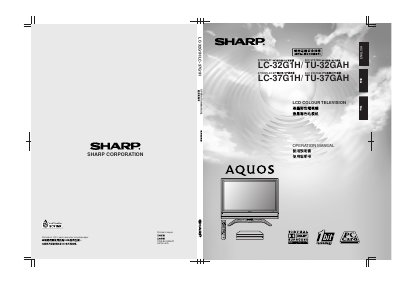
SHARP LC-362G2H/TU-32GAH LC-37G2H/TU-37GAH liquid crystal color Television Manual
This Sharp operation manual provides step‑by‑step instructions for installing, configuring, and safely using the LC‑32G1H and LC‑37G1H LCD colour televisions. It includes safety precautions, a list of supplied accessories, placement guidance, and detailed wiring diagrams for the display and AVC system.
The guide also covers picture and sound adjustments, channel setup, child‑lock settings, and troubleshooting procedures, helping users get the most out of their television and resolve common issues. This manual is written in Chinese.
Sharp LC-37G2H specifications
| Weight (32‑inch model) | ≈21 kg |
|---|---|
| Weight (37‑inch model) | ≈23 kg |
| AVC system models | TU‑32GAH / TU‑37GAH |
| Dimensions (mm) | see outline drawings |
Source: SHARP LC-362G2H/TU-32GAH LC-37G2H/TU-37GAH liquid crystal color Television Manual
All Sharp LC-37G2H documents by type
Day-to-day operation, settings and troubleshooting. Start here if the product is already set up.
Questions answered in these manuals
How do I reset the television to factory settings?
Turn off the display, hold the RESET button on the AVC system, then press the MAIN POWER button on the display to turn it on again; all settings return to factory defaults.
From: SHARP LC-362G2H/TU-32GAH LC-37G2H/TU-37GAH liquid crystal color Television Manual
What safety steps should I take before cleaning the TV?
Unplug the power cord, use a dry cloth, and avoid liquid cleaners or spray cleaners.
From: SHARP LC-362G2H/TU-32GAH LC-37G2H/TU-37GAH liquid crystal color Television Manual
What is the recommended weight limit for the Sharp LCD TV?
The 32‑inch model weighs about 21 kg and the 37‑inch model about 23 kg.
From: Sharp LC-32G2H/TU-32GAH LC-37G2H/TU-37GAH LCD Colour Television Manual