
Key facts
- Brand
- Rotronic
- Model
- HP31
- Category
- Other Electronics
- Industry
- Industrial
- Documents
- 3
- Languages
- EN
- Last added
- 2023-10-16
Start here
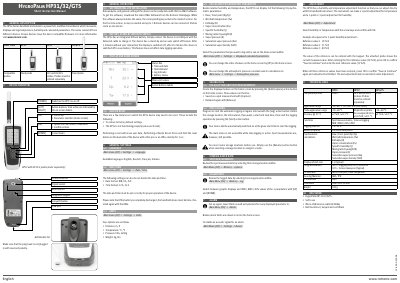
Rotronic HYGRO PALM HP31/32/GTS Short Instruction Manual
The Rotronic HYGRO PALM HP31/32/GTS series consists of three handheld instruments designed to measure, display, and log temperature, humidity, and calculated psychrometric parameters. The devices feature an integrated lithium battery, a Micro-USB interface for data transfer, and support for various compatible probes.
Read onlineRotronic HP31 specifications
| Application range | -10…60 °C | 0…100 %rh (non-cond.) |
|---|---|
| Accuracy @ 23 °C | ±2 %rh / ±0.3 °C |
| Memory capacity | 8 x 8000 data points |
| Integrated Battery | 48 h – Logging every 30 s, screen off |
| IP Protection | IP65 |
| Dimension | 160 x 63 x 30 mm |
| Weight | 185 g |
Source: Rotronic HYGRO PALM HP31/32/GTS Short Instruction Manual
All Rotronic HP31 documents by type
Day-to-day operation, settings and troubleshooting. Start here if the product is already set up.
Questions answered in these manuals
What languages are available on the device?
The device supports English, Deutsch, Français, and Italiano.
From: Rotronic HYGRO PALM HP31/32/GTS Short Instruction Manual
How long does the battery last with screen off?
The integrated battery lasts 48 hours when logging every 30 seconds with the screen off.
From: Rotronic HYGRO PALM HP31/32/GTS Short Instruction Manual
What languages are available for the device settings?
The available languages are English, Deutsch, Francais, and Italiano.
From: Rotronic HygroPalm HP31/32/GTS Handheld Instrument Instruction Manual
How do I perform a master reset?
Press and hold the reset button on the backside of the device with a thin pen or an office clammy for 3 sec.
From: Rotronic HygroPalm HP31/32/GTS Handheld Instrument Instruction Manual
What languages are available in the device settings?
The available languages include English, Deutsch, Français, and Italiano.
From: Rotronic HygroPalm HP31/32/GTS Short Instruction Manual
How do I perform a Master Reset on the HP3x?
Press and hold the reset button on the backside of the device with a thin pen or an office clip for 3 seconds.
From: Rotronic HygroPalm HP31/32/GTS Short Instruction Manual