
Key facts
- Brand
- Rotronic
- Model
- CRP5
- Category
- Other Electronics
- Documents
- 2
- Languages
- EN
- Last added
- 2023-10-16
Start here
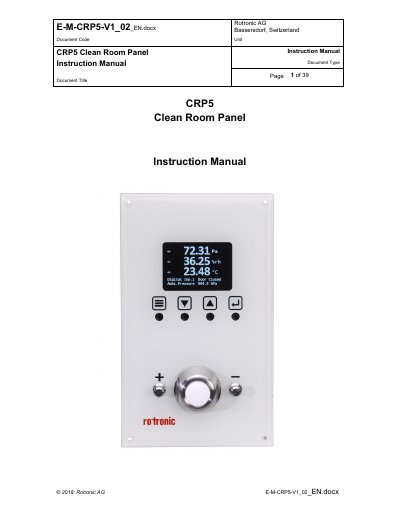
Rotronic CRP5 Clean Room Panel Instruction Manual
The Rotronic CRP5 is a multifunctional clean room panel designed for monitoring and controlling essential parameters such as differential air pressure, relative humidity, and temperature. It features high-precision measurement, a color TFT LCD display, and configurable analog and digital inputs and outputs. The device supports optional remote HygroClip2 sensors and can be flush-mounted in clean room walls.
Read onlineRotronic CRP5 specifications
| Modbus RTU Baud Rate | 19200 Baud |
|---|---|
| Modbus TCP Port | 502 |
| Modbus RTU Address Offset | RS485 Network Address + 1 |
| Data Endianness | Big-Endian |
Source: Rotronic CRP5 Clean Room Panel Modbus Protocol Manual
All Rotronic CRP5 documents by type
Instruction set, parameters and examples for configuring or programming the device.
Day-to-day operation, settings and troubleshooting. Start here if the product is already set up.
Questions answered in these manuals
Does the CRP5 support Modbus ASCII?
No, Modbus ASCII is not supported by the CRP5.
What are the communication parameters for Modbus RTU?
The parameters are 19200 Baud, 8-bit data, no parity, and cannot be changed.
What is the scope of this manual?
This manual is valid for the CRP5 clean room panel series with firmware version V1.x.
Can the CRP5 be mounted flush in a wall?
Yes, the CRP5 can be flush-mounted airtight in a clean room wall.