
Key facts
- Brand
- Rotronic
- Model
- HL20
- Documents
- 4
- Languages
- EN
- Last added
- 2023-10-16
Start here
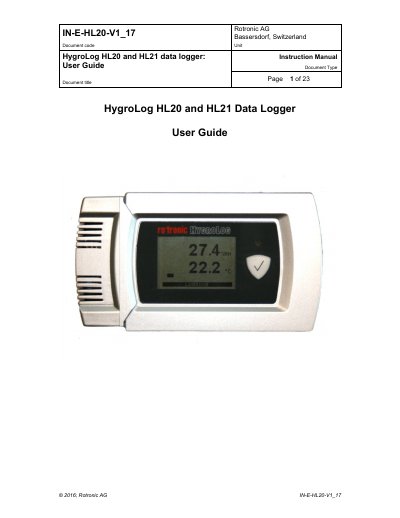
Rotronic HygroLog HL20 and HL21 Data Logger User Guide
The document provides instructions for using the HygroLog HL20 (humidity and temperature logger) and HL21 (temperature logger). It details general descriptions including models with or without optional LC displays, required accessories like the AC3006 cable and HW4 software, and battery management. Key operational features include real-time clock settings, memory capacity of 20,000 values, function key usage for logging control, and status indicator LEDs.
Read onlineRotronic HL20 specifications
| Recording capacity (HL20) | 20000 value pairs (%rh + °C) |
|---|---|
| Recording capacity (HL21) | 20000 values (°C) |
| Measuring range | 0…100 %rh / -10...60 °C |
| Measurement accuracy at 23 °C | ±0.8 %rh / ±0.2 °C |
| Battery type | 3 x AA (1.5 V) alkaline |
| Weight | About 210 g (7.4 oz) |
Source: ROTRONIC HygroLog HL20/21 Data Logger Instruction Manual
All Rotronic HL20 documents by type
Day-to-day operation, settings and troubleshooting. Start here if the product is already set up.
Questions answered in these manuals
What is the recording capacity of the HL20 model?
The HL20 data logger can record up to 20,000 pairs of relative humidity and temperature values.
From: ROTRONIC HygroLog HL20/21 Data Logger Instruction Manual
How do you start or stop recording data?
Press the function key for a few seconds to start or stop recording.
From: ROTRONIC HygroLog HL20/21 Data Logger Instruction Manual
What software is required to configure the logger?
A PC with the ROTRONIC HW4 software installed (version 2.4.0 or higher).
From: Rotronic HygroLog HL20 and HL21 Data Logger User Guide
How long can the real-time clock run without batteries?
Up to 4 hours after initial charge.
From: Rotronic HygroLog HL20 and HL21 Data Logger User Guide
What is the battery lifetime of the data logger?
Battery life depends on usage; models without display last up to 20 months, while those with display and sleep function enabled last about 13 months.
How do I start or stop data logging?
Press the function key for a few seconds (long press) to start or stop data logging.