
Key facts
- Brand
- Rotronic
- Model
- HP22-A
- Documents
- 2
- Languages
- EN
- Last added
- 2023-10-16
Start here
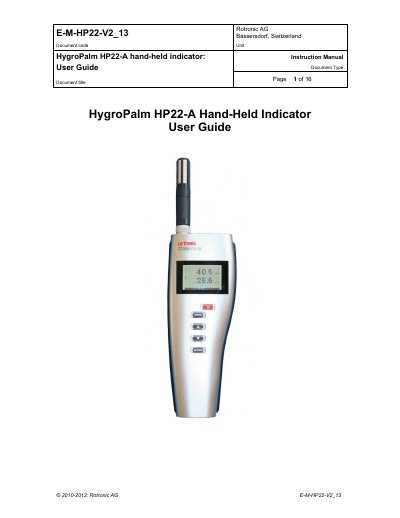
Rotronic HygroPalm HP22-A Hand-Held Indicator User Guide
The document provides instructions for using the Rotronic HygroPalm HP22-A, a hand-held indicator that displays relative humidity, temperature, and calculated parameters like dew point. It details the device's power supply, measured parameters, and various user-configurable settings such as factory defaults, psychrometric calculations, and data recording capabilities.
Read onlineRotronic HP22-A specifications
| Power supply | 9V alkaline battery |
|---|---|
| Humidity range | 0 to 100 %RH |
| Temperature operating range (electronics) | -10...60°C |
| Humidity sensor type | ROTRONIG Hygromer® IN1 capacitive sensor |
| Temperature sensor type | Pt100 RTD |
Source: Rotronic HygroPalm HP22-A Hand-Held Indicator User Guide
All Rotronic HP22-A documents by type
Day-to-day operation, settings and troubleshooting. Start here if the product is already set up.
Questions answered in these manuals
What is the HygroPalm HP22-A?
The HP22 is a hand-held indicator that displays relative humidity, temperature, and a calculated parameter such as the dew or frost point.
From: Rotronic HygroPalm HP22-A Hand-Held Indicator User Guide
What power source does the HP22 use?
The HP22 operates with a regular 9V alkaline battery.
From: Rotronic HygroPalm HP22-A Hand-Held Indicator User Guide
What is the power source for the HP22?
The device operates using a standard 9V alkaline battery.
From: Rotronic HygroPalm HP22-A Hand-Held Indicator User Guide
What type of battery powers the HP22?
The instrument operates with a regular 9V alkaline battery.
From: Rotronic HygroPalm HP22-A Hand-Held Indicator User Guide