
Key facts
- Brand
- Rosemount
- Model
- 3051P
- Category
- pressure transmitters
- Documents
- 5
- Languages
- ZH · EN
- Last added
- 2026-10-14
Start here
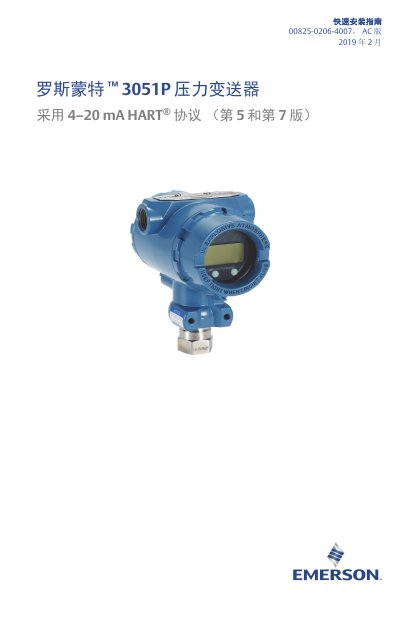
Rosemount 3051P Pressure Transmitter Quick Start Guide
This guide provides basic installation instructions for the Rosemount 3051P pressure transmitter. It covers system preparation, installation, switch setup, wiring, configuration verification, calibration, and safety instrument systems. The guide does not cover configuration, diagnostics, maintenance, or explosion-proof installations. For detailed information, refer to the Rosemount 3051P Reference Manual. This manual is written in Chinese.
Read onlineRosemount 3051P specifications
| Reference Accuracy | 0.04% of span |
|---|---|
| Installation Total Accuracy | 0.14% of span |
| Stability | 0.1% of URL for 12 years |
| Safety Certification | SIL 2/3 (IEC 61508) |
| Flowmeter Accuracy | 1.65% at 8:1 ratio |
All Rosemount 3051P documents by type
Day-to-day operation, settings and troubleshooting. Start here if the product is already set up.
The shortest path to a working setup, usually only a few pages.
Questions answered in these manuals
What diagnostic features are available for the Rosemount 3051?
The transmitter offers circuit integrity diagnostics and insertable impulse line diagnostics to detect issues like corrosion or moisture.
Does the Rosemount 3051 support Wireless HART?
Yes, it supports Wireless HART protocol, allowing for wireless configuration and maintenance.
What HART protocol versions does the 3051P support?
The 3051P can be configured to use HART Version 5 or Version 7.
From: Rosemount 3051P Pressure Transmitter Quick Start Guide
What is required to ensure proper communication with the transmitter?
Ensure your system has the latest device driver (DD/DTM) for normal communication.
From: Rosemount 3051P Pressure Transmitter Quick Start Guide
What is the device revision for this manual?
This manual is for device revision 8 of the Rosemount 3051 with FOUNDATION Fieldbus protocol.
Where can I find the Device Description (DD) file?
The device descriptor can be found on Fieldbus.org.