
Key facts
- Brand
- moxa
- Model
- FW_5.x
- Documents
- 4
- Languages
- EN
- Last added
- 2023-10-19
Start here
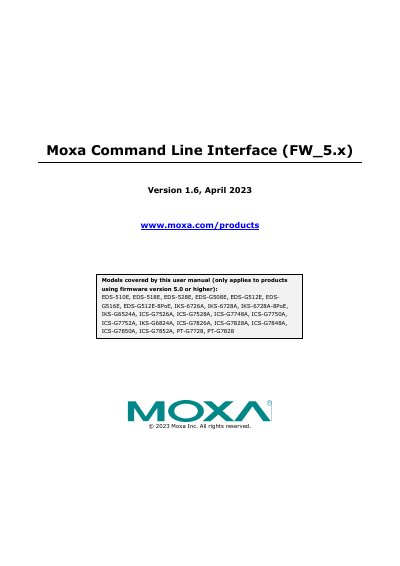
Moxa Command Line Interface (FW_5.x) User Manual
This manual provides instructions for using the Command Line Interface (CLI) with Moxa’s firmware version 5.x. It covers command modes, basic operations, and detailed command syntax for configuring switches like EDS-510E, IKS-6726A, and ICS-G7852A. Users can access the CLI via serial or Telnet, and the guide explains how to navigate configuration levels, use help features, and execute commands for network management, security, and diagnostics.
The manual includes commands for authentication, VLANs, IP configuration, SNMP, QoS, spanning tree, and redundancy. It also details troubleshooting and logging tools, with sections on email warnings, fiber checks, and port security. Commands are organized by topic, with detailed syntax and examples for each.
All Moxa FW_5.x documents by type
Day-to-day operation, settings and troubleshooting. Start here if the product is already set up.
Questions answered in these manuals
What switch models are covered by this manual?
The manual covers EDS-510E, EDS-518E, EDS-528E, EDS-G508E, EDS-G512E, EDS-G516E, EDS-G512E-8PoE, IKS-6726A, IKS-6728A, IKS-6728A-8PoE, IKS-G6524A, ICS-G7526A, ICS-G7528A, ICS-G7748A, ICS-G7750A, ICS-G7752A, IKS-G6824A, ICS-G7826A, ICS-G7828A, ICS-G7848A, ICS-G7850A, ICS-G7852A, PT-G7728, PT-G7828.
What is the default login user name for CLI access?
The default login user name is admin, without a password.
How do I switch to CLI mode?
Select Basic Settings, then Login mode, and press y to activate.
What is the default login user name?
The default login user name is admin, without a password.
How do I access the CLI on a Moxa switch?
You can access the CLI via serial console or Telnet console, which opens an EXEC session.
What is the default login mode for Moxa switches?
The default login mode is MENU mode.