
Key facts
- Brand
- moxa
- Model
- EDS-518A
- Category
- Network Switches
- Industry
- Electronics
- Documents
- 2
- Languages
- EN
- Last added
- 2026-11-27
Start here
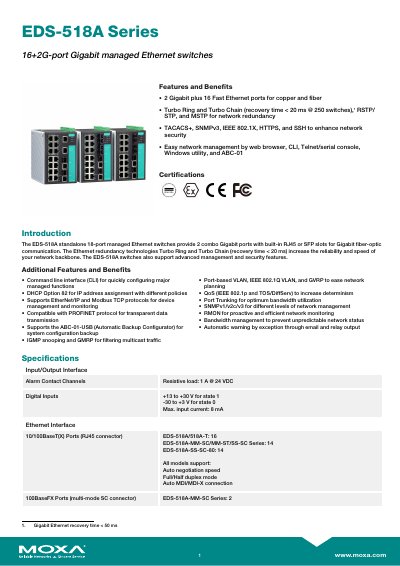
MOXA EDS-518A Series 18-Port Gigabit Managed Ethernet Switch Product Leaflet
The MOXA EDS-518A Series standalone 18-port managed Ethernet switches provide 2 combo Gigabit ports with built-in RJ45 or SFP slots for Gigabit fiber-optic communication. The switches support Turbo Ring and Turbo Chain redundancy with recovery time under 20 ms, plus RSTP/STP and MSTP for network backbone reliability.
Management and security features include web browser, CLI, Telnet/serial console, Windows utility, and ABC-01 support, along with TACACS+, SNMPv3, IEEE 802.1X, HTTPS, and SSH. Industrial protocols such as EtherNet/IP, Modbus TCP, and PROFINET are supported for device management and monitoring.
MOXA EDS-518A specifications
| Gigabit combo ports | 2 |
|---|---|
| Fast Ethernet ports | 16 |
| Redundancy recovery time | <20 ms |
| Input voltage | 24 VDC, redundant dual inputs |
| Operating voltage | 12 to 45 VDC |
| Dimensions | 94 x 135 x 142.7 mm |
| Weight | 1630 g |
| IP rating | IP30 |
| Warranty period | 5 years |
Source: MOXA EDS-518A Series 18-Port Gigabit Managed Ethernet Switch Product Leaflet
All MOXA EDS-518A documents by type
Mounting, wiring and first power-up. Read it before the hardware goes in.
Questions answered in these manuals
How many Gigabit and Fast Ethernet ports does the EDS-518A Series have?
It provides 2 Gigabit ports plus 16 Fast Ethernet ports for copper and fiber.
From: MOXA EDS-518A Series 18-Port Gigabit Managed Ethernet Switch Product Leaflet
What is the Turbo Ring recovery time?
The recovery time is less than 20 ms.
From: MOXA EDS-518A Series 18-Port Gigabit Managed Ethernet Switch Product Leaflet
What items are included in the EDS-518A package?
The package includes the EDS-518A switch, installation guide, CD-ROM with user's manual and utility, warranty booklet, console cable, protective caps, and optional mounting kit.
From: Moxa EDS-518A Series Ethernet Switch Hardware Installation Guide
How is the EDS-518A wall mounted?
Remove the DIN-Rail plate, attach wall mount plates with M3 screws, mark four screw locations, and slide the switch downward onto the screws.
From: Moxa EDS-518A Series Ethernet Switch Hardware Installation Guide