
Key facts
- Brand
- Kenwood
- Model
- KRF-V5010
- Category
- Other Electronics
- Documents
- 3
- Languages
- EN
- Last added
- 2023-10-19
Start here
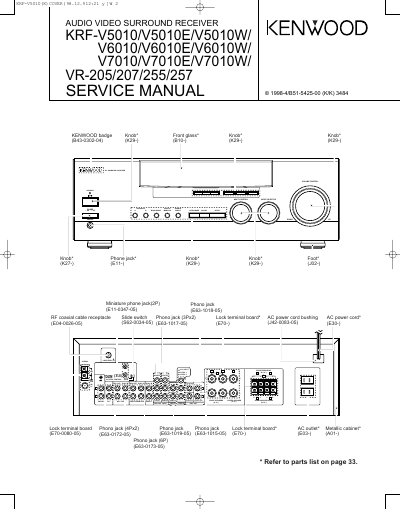
Manual for KENWOOD audio equipment KRF-V5010/V5010E/V5010W/ KRF-V6010/V6010E/V6010W/ KRF-V7010/V7010E/V7010W/ VR-205/207/255/257
This document is a service manual for the Kenwood KRF-V5010, V6010, V7010, and VR-205/257 series audio video surround receivers. It provides technical information necessary for repair and maintenance, including exploded views and parts lists.
Read onlineAll Kenwood KRF-V5010 documents by type
Disassembly, diagnostics and part numbers, for repair.
- Manual for KENWOOD audio equipment KRF-V5010/V5010E/V5010W/ KRF-V6010/V6010E/V6010W/ KRF-V7010/V7010E/V7010W/ VR-205/207/255/257 40 p
- KRV-V5010/V5010E/V5010W/KRF-V6010/V6010E/V6010W/KRF-V7010/V7010E/V7010W/VR-205/207/255/257 Service Manual 40 p
- Kenwood KRF-V5010/V5010E/V5010W/KRF-V6010/V6010E/V6010W/KRF-V7010/V7010E/V7010W/VR-205/207/255/257 Service Manual 40 p
Questions answered in these manuals
What models does this service manual cover?
It covers KRF-V5010/V5010E/V5010W/V6010/V6010E/V6010W/V7010/V7010E/V7010W/VR-205/207/255/257.
What is the procedure to reset the microcomputer for U.S.A. and Canada?
Unplug the power cord from the wall outlet, then plug it back in while holding down the POWER key.
What steps are required to reset the microcomputer if the unit malfunctions?
Unplug the power cord from the wall outlet, then plug it back in while holding down the POWER key.
What happens to the memory contents when the microcomputer is reset?
Resetting the microcomputer will clear the contents of the memory and return the unit to its factory state.
What procedure should be followed to reset the microcomputer if the unit malfunctions?
For the U.S.A. and Canada, unplug the power cord and plug it back in while holding down the POWER key. For other countries, turn the POWER key OFF, then press POWER while holding down the ON/STANDBY key.
What happens to the unit's memory when the microcomputer is reset?
Resetting the microcomputer clears the contents of the memory and returns the unit to the state it was in when it left the factory.