
Key facts
- Brand
- IBM
- Model
- TRIRIGA Application Platform 3.8.0
- Category
- Other software
- Documents
- 3
- Languages
- EN
- Last added
- 2023-12-02
Start here
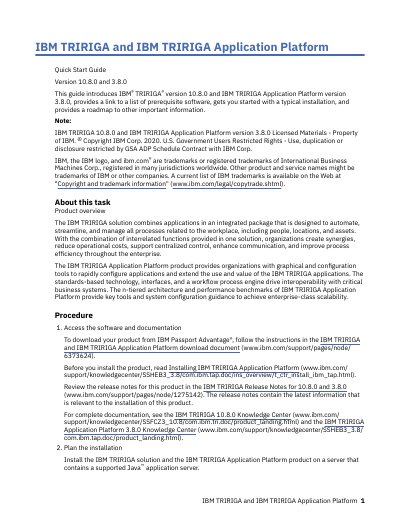
IBM TRIRIGA 10.8.0 and TRIRIGA Application Platform 3.8.0 Quick Start Guide
This two-page quick start guide introduces IBM TRIRIGA version 10.8.0 and IBM TRIRIGA Application Platform version 3.8.0. It explains that the IBM TRIRIGA solution combines applications in an integrated package for managing workplace processes, including people, locations and assets, while the Application Platform provides graphical and configuration tools to configure applications and extend the IBM TRIRIGA applications.
The procedure covers accessing the software from IBM Passport Advantage, planning the installation on a server that contains a supported Java application server, and installing or upgrading the product. Installation steps include reviewing software requirements, installing and configuring the database (Oracle, Microsoft SQL Server) and the application server (IBM WebSphere Application Server, Oracle WebLogic Server, JBoss Application Server), selecting the installer and answering installation questions, and copying license files into the [tririga_root]\config\licenses directory. The guide also points to release notes, Knowledge Centers and product support for further information.
IBM TRIRIGA Application Platform 3.8.0 specifications
| IBM TRIRIGA version | 10.8.0 |
|---|---|
| IBM TRIRIGA Application Platform version | 3.8.0 |
| Supported databases | Oracle, Microsoft SQL Server |
| Supported application servers | IBM WebSphere Application Server, Oracle WebLogic Server, JBoss Application Server |
| License file location | [tririga_root]\config\licenses directory |
Source: IBM TRIRIGA 10.8.0 and TRIRIGA Application Platform 3.8.0 Quick Start Guide
All IBM TRIRIGA Application Platform 3.8.0 documents by type
Mounting, wiring and first power-up. Read it before the hardware goes in.
The shortest path to a working setup, usually only a few pages.
Day-to-day operation, settings and troubleshooting. Start here if the product is already set up.
Questions answered in these manuals
What must be done before upgrading the database to support multibyte languages?
You must back up your database before you begin the upgrade.
From: IBM TRIRIGA Application Platform 3.8.0 Upgrade Installation Guide
What is the required instance character setting for Oracle Database multibyte support?
The instance character must be set to UTF-8 or UTF-16.
From: IBM TRIRIGA Application Platform 3.8.0 Upgrade Installation Guide
What does the IBM TRIRIGA solution do?
It combines applications in an integrated package designed to automate, streamline and manage all processes related to the workplace, including people, locations and assets.
From: IBM TRIRIGA 10.8.0 and TRIRIGA Application Platform 3.8.0 Quick Start Guide
Where do I download IBM TRIRIGA 10.8.0 and the Application Platform 3.8.0?
Download the product from IBM Passport Advantage by following the instructions in the IBM TRIRIGA and IBM TRIRIGA Application Platform download document.
From: IBM TRIRIGA 10.8.0 and TRIRIGA Application Platform 3.8.0 Quick Start Guide
How do I sign in to the Administrator Console?
Open a web browser, enter the Administrator Console URL for your host and context path, then enter your user name and password and click Login.
From: IBM TRIRIGA Application Platform 3.8.0 Administrator Console User Guide
What is the maximum number of threads for any one agent?
The total number of threads for any one agent cannot be more than 100.
From: IBM TRIRIGA Application Platform 3.8.0 Administrator Console User Guide