
The IBM TRIRIGA solution combines applications in an integrated package that is designed to automate, streamline, and manage all processes related to the workplace, including people, locations, and assets. With the combination of interrelated functions provided in one solution, organizations create synergies, reduce operational costs, support centralized control, enhance communication, and improve process efficiency throughout the enterprise.
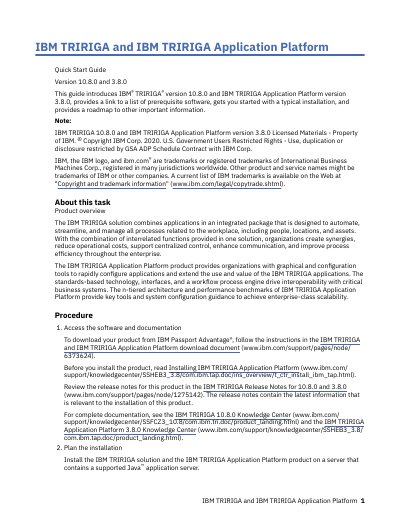
This two-page quick start guide introduces IBM TRIRIGA version 10.8.0 and IBM TRIRIGA Application Platform version 3.8.0. It explains that the IBM TRIRIGA solution combines applications in an integrated package for managing workplace processes, including people, locations and assets, while the Application Platform provides graphical and configuration tools to configure applications and extend the IBM TRIRIGA applications.
The procedure covers accessing the software from IBM Passport Advantage, planning the installation on a server that contains a supported Java application server, and installing or upgrading the product. Installation steps include reviewing software requirements, installing and configuring the database (Oracle, Microsoft SQL Server) and the application server (IBM WebSphere Application Server, Oracle WebLogic Server, JBoss Application Server), selecting the installer and answering installation questions, and copying license files into the [tririga_root]\config\licenses directory. The guide also points to release notes, Knowledge Centers and product support for further information.
| IBM TRIRIGA version | 10.8.0 |
|---|---|
| IBM TRIRIGA Application Platform version | 3.8.0 |
| Supported databases | Oracle, Microsoft SQL Server |
| Supported application servers | IBM WebSphere Application Server, Oracle WebLogic Server, JBoss Application Server |
| License file location | [tririga_root]\config\licenses directory |
It combines applications in an integrated package designed to automate, streamline and manage all processes related to the workplace, including people, locations and assets.
Download the product from IBM Passport Advantage by following the instructions in the IBM TRIRIGA and IBM TRIRIGA Application Platform download document.
Install the IBM TRIRIGA solution and the IBM TRIRIGA Application Platform product on a server that contains a supported Java application server.
Follow the instructions in the Upgrading document linked from the guide.