
Key facts
- Brand
- IBM
- Model
- Operations Analytics - Predictive Insights 1.3.2
- Category
- Application program
- Documents
- 4
- Languages
- EN
- Last added
- 2023-12-02
Start here
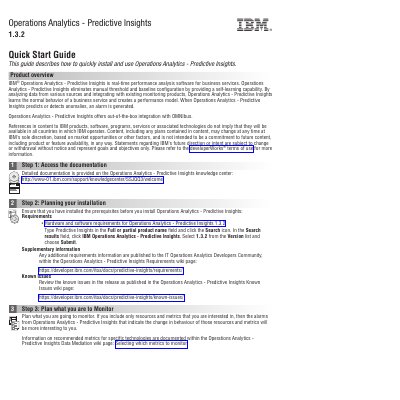
IBM Operations Analytics Predictive Insights 1.3.2 Quick Start Guide
This quick start guide explains how to install and begin using IBM Operations Analytics - Predictive Insights 1.3.2, described in the document as real-time performance analysis software for business services. The software learns the normal behavior of a business service, builds a performance model, and generates an alarm when it predicts or detects anomalies. It offers out-of-the-box integration with OMNIbus.
The guide walks through five steps: accessing the documentation on the knowledge center, planning the installation and checking requirements, planning what to monitor, installing the prerequisites and the Predictive Insights components (Database, Analytics, UI and Mediation tool), and starting data consumption in the Mediation tool to discover anomalies. It closes with links to the developers community, wiki, and forum for more information.
IBM Operations Analytics - Predictive Insights 1.3.2 specifications
| Product version | 1.3.2 |
|---|---|
| Required prerequisite software | DB2 Database, InfoSphere Streams, IBM Jazz for Service Management 1.1.0.3 (updated to 1.1.1.0), Netcool OMNIbus |
| Installable components | Database, Analytics, UI and Mediation tool |
| Monitoring integration | Out-of-the-box integration with OMNIbus |
Source: IBM Operations Analytics Predictive Insights 1.3.2 Quick Start Guide
All IBM Operations Analytics - Predictive Insights 1.3.2 documents by type
The shortest path to a working setup, usually only a few pages.
Day-to-day operation, settings and troubleshooting. Start here if the product is already set up.
Questions answered in these manuals
What is IBM Operations Analytics - Predictive Insights?
It is real-time performance analysis software for business services that learns normal behavior, creates a performance model, and generates an alarm when it predicts or detects anomalies.
From: IBM Operations Analytics Predictive Insights 1.3.2 Quick Start Guide
What are the requirements for installing Predictive Insights 1.3.2?
Install DB2 Database, InfoSphere Streams, IBM Jazz for Service Management 1.1.0.3 (then updated to 1.1.1.0), and Netcool OMNIbus.
From: IBM Operations Analytics Predictive Insights 1.3.2 Quick Start Guide
What are the four main components of IBM Operations Analytics - Predictive Insights?
The four main components are the Database component, the Analytic component, the UI component, and the Mediation tool.
From: IBM Operations Analytics - Predictive Insights 1.3.2 Document Revision R2E1 Administration Guide
Who is the intended audience for this administration guide?
The audience is the network administrator or operations specialist responsible for administering the product.
From: IBM Operations Analytics - Predictive Insights 1.3.2 Document Revision R2E1 Administration Guide
What is the purpose of the Error Messages Guide?
It provides further information on IBM Operations Analytics - Predictive Insights error messages so users can understand the system state and respond correctly.
Who should use this guide?
It is written for the network administrator or operations specialist responsible for maintaining the Operations Analytics - Predictive Insights product suite.