
Key facts
- Brand
- IBM
- Model
- POWER9
- Category
- Servers Computer
- Documents
- 3
- Languages
- EN
- Last added
- 2023-12-02
Start here
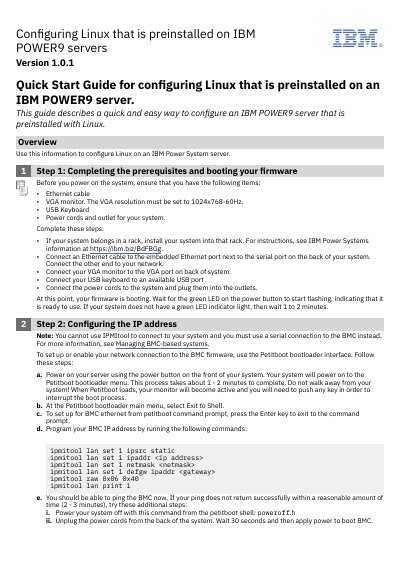
IBM POWER9 Server Linux Operating System Configuration Quick Start Guide
This guide describes a quick and easy way to configure an IBM POWER9 server that is preinstalled with Linux. It covers prerequisites and firmware booting, IP address configuration, powering on the server, and booting the Linux distribution.
The guide lists required items such as an Ethernet cable, a VGA monitor set to 1024x768-60Hz, a USB keyboard, and power cords. It also provides default user names and passwords for systems preinstalled with Ubuntu and other Linux distributions.
IBM POWER9 specifications
| VGA resolution | 1024x768-60Hz |
|---|---|
| Default BMC user name | root |
| Default BMC password | 0penBmc |
| Default user (Ubuntu) | ibm / passw0rd |
| Default user (other distributions) | root / PASSW0RD |
Source: IBM POWER9 Server Linux Operating System Configuration Quick Start Guide
All IBM POWER9 documents by type
The shortest path to a working setup, usually only a few pages.
Questions answered in these manuals
What VGA resolution is required?
The VGA resolution must be set to 1024x768-60Hz.
From: IBM POWER9 Server Linux Operating System Configuration Quick Start Guide
What are the default credentials for an Ubuntu-preinstalled system?
The default user is ibm and the default password is passw0rd.
From: IBM POWER9 Server Linux Operating System Configuration Quick Start Guide
Which Ubuntu release is supported?
Ubuntu 18.04 is listed as a supported release.
What is the default OpenBMC password?
The default password is 0penBmc, using a zero rather than a capital O.
What are the default login credentials for OpenBMC?
The default user name is root and the default password is 0penBmc (using a zero).
From: IBM Power System POWER9 Server Ubuntu Installation Quick Start Guide
How do I install the package for runtime detection of Power processor errors?
Run the command 'apt-get install opal-prd' to install the opal-prd (Processor Runtime Diagnostics) package.
From: IBM Power System POWER9 Server Ubuntu Installation Quick Start Guide