
Key facts
- Brand
- IBM
- Model
- Hyper-Scale Manager 1.4
- Category
- Other software
- Documents
- 2
- Languages
- EN
- Last added
- 2023-12-02
Start here
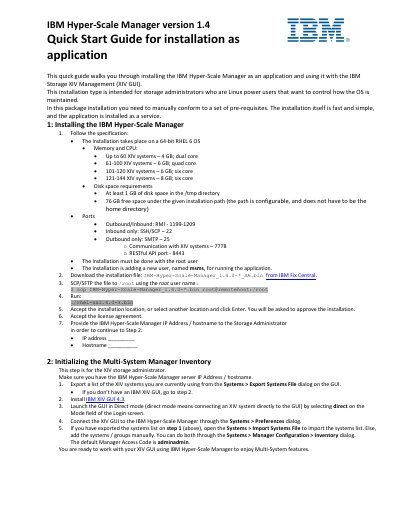
IBM Hyper-Scale Manager 1.4 Quick Start Guide for installation as application
This guide walks through installing IBM Hyper-Scale Manager 1.4 as an application on a 64-bit RHEL 6 system and then initializing the Multi-System Manager inventory with the IBM XIV GUI. It is intended for storage administrators who are Linux power users and lists the required memory, CPU, disk space, ports, and installation steps.
The guide also covers downloading and running the installation file, accepting the license agreement, providing the server IP address or hostname, exporting or importing XIV systems, and using the default Manager Access Code adminadmin.
IBM Hyper-Scale Manager 1.4 specifications
| Operating system | 64-bit RHEL 6 |
|---|---|
| Memory for up to 60 XIV systems | 4 GB |
| CPU for up to 60 XIV systems | dual core |
| Memory for 61-100 XIV systems | 6 GB |
| CPU for 61-100 XIV systems | quad core |
| Memory for 101-120 XIV systems | 6 GB |
| CPU for 101-120 XIV systems | six core |
| Memory for 121-144 XIV systems | 8 GB |
| CPU for 121-144 XIV systems | six core |
| Disk space in /tmp | At least 1 GB |
| Free disk space under installation path | 76 GB |
| RMI port | 1199-1209 |
| SSH/SCP port | 22 |
| SMTP port | 25 |
| XIV communication port | 7778 |
| RESTful API port | 8443 |
| Installation user | root |
| Application user | msms |
| Required XIV GUI version | 4.3 |
| Default Manager Access Code | adminadmin |
Source: IBM Hyper-Scale Manager 1.4 Quick Start Guide for installation as application
All IBM Hyper-Scale Manager 1.4 documents by type
The shortest path to a working setup, usually only a few pages.
Questions answered in these manuals
What operating system is required to install IBM Hyper-Scale Manager 1.4 as an application?
The installation takes place on a 64-bit RHEL 6 OS.
From: IBM Hyper-Scale Manager 1.4 Quick Start Guide for installation as application
How much memory and CPU are needed for up to 60 XIV systems?
Up to 60 XIV systems require 4 GB of memory and a dual core CPU.
From: IBM Hyper-Scale Manager 1.4 Quick Start Guide for installation as application
What is the default root password of the IBM Hyper-Scale Manager VM?
The default root password is xivmsRoot; the wizard asks you to change it during configuration.
From: IBM Hyper-Scale Manager 1.4 Virtual Appliance Quick Start Guide
What is the default Manager Access Code?
The default Manager Access Code is adminadmin.
From: IBM Hyper-Scale Manager 1.4 Virtual Appliance Quick Start Guide