
Key facts
Start here
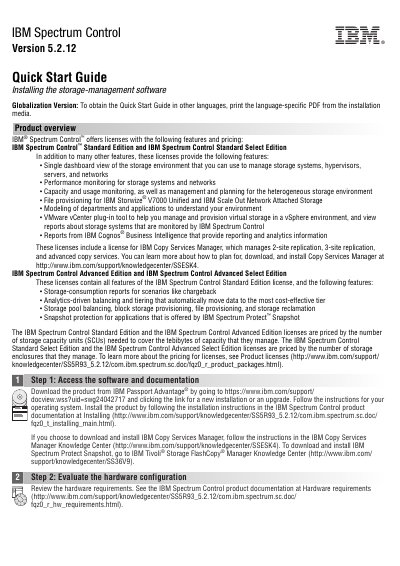
IBM Spectrum Control 5.2.12 Quick Start Guide
This quick start guide describes how to install IBM Spectrum Control Version 5.2.12, the storage-management software. It first summarizes the product's licensing editions - Standard Edition, Standard Select Edition, Advanced Edition and Advanced Select Edition - and the features each license provides, such as performance and capacity monitoring, provisioning, tiering and reporting.
The guide then walks through seven steps: downloading the software and documentation from IBM Passport Advantage, evaluating hardware and system requirements and installing prerequisite software, installing IBM DB2 Enterprise Server Edition, installing IBM Spectrum Control with the installation program or a command line in silent mode, optionally installing IBM Cognos Business Intelligence reports, and getting started. A closing section lists sources for more information.
IBM Spectrum Control 5.2.12 specifications
| Processor (Windows/Linux) | Intel Xeon or greater, 4 processors at 2.5 GHz |
|---|---|
| Processor (AIX) | IBM POWER5 or later, 4 processors at 2.3 GHz |
| Memory | At least 8 GB of RAM |
| Disk Space (Windows/Linux) | 15 GB |
| Disk Space (AIX) | 22 GB |
| DB2 Version | DB2 Version 10.5 Fix Pack 7 |
Source: IBM Spectrum Control Version 5.2.12 Software Quick Installation Guide
All IBM Spectrum Control 5.2.12 documents by type
Mounting, wiring and first power-up. Read it before the hardware goes in.
The shortest path to a working setup, usually only a few pages.
Questions answered in these manuals
Which operating systems support IBM Spectrum Control installation?
Administrators should be familiar with installing software on Microsoft Windows, IBM AIX, and Linux.
From: IBM Spectrum Control Version 5.2.12 Software Quick Installation Guide
How much memory does IBM Spectrum Control require?
The server requires at least 8 GB of RAM.
From: IBM Spectrum Control Version 5.2.12 Software Quick Installation Guide
Do I need to install DB2 before IBM Spectrum Control?
Yes. You must install the version of IBM DB2 Enterprise Server Edition that is included with IBM Spectrum Control first, because the product stores the information it collects about storage resources in a DB2 database.
How is IBM Spectrum Control installed?
You can use an installation program or a command line in silent mode, following the instructions in the product documentation.