
Key facts
- Brand
- IBM
- Model
- Tivoli Workload Scheduler 9.2
- Category
- Other software
- Documents
- 2
- Languages
- FR · EN
- Last added
- 2023-11-30
Start here
IBM Tivoli Workload Scheduler 9.2 Quick Start Guide
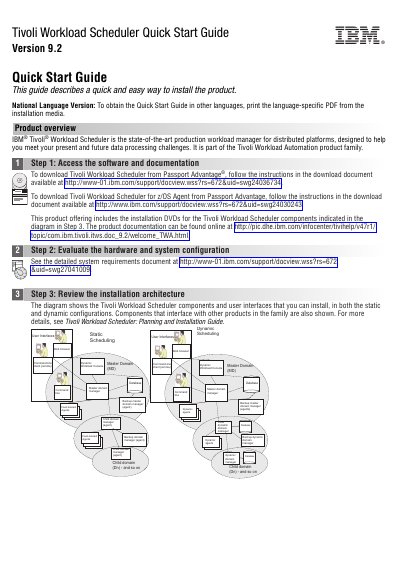
This IBM Quick Start Guide for Tivoli Workload Scheduler Version 9.2 describes a quick and easy way to install the product, which is a production workload manager for distributed platforms and part of the Tivoli Workload Automation product family. It walks through six steps: accessing the software and documentation, evaluating hardware and system configuration, reviewing the installation architecture, planning the installation, installing and configuring components, and getting started.
The guide explains where to download the product from Passport Advantage, how to divide the network into domains, how to handle RDBMS requirements with DB2 or Oracle, and how to choose between static and dynamic scheduling. It also describes which agents to install (dynamic agents or fault-tolerant agents) and the extra components needed for the Dynamic Workload Console and the command line client, and it points to the Planning and Installation Guide, the User's Guide and Reference, and the dynamic scheduling guide for details.
IBM Tivoli Workload Scheduler 9.2 specifications
| Product version | 9.2.0 |
|---|---|
| Program number | 5698-WSH |
| IPv6 support | Supported (Internet Protocol version 6) |
Source: IBM Tivoli Workload Scheduler 9.2 User Guide and Reference
All IBM Tivoli Workload Scheduler 9.2 documents by type
Day-to-day operation, settings and troubleshooting. Start here if the product is already set up.
The shortest path to a working setup, usually only a few pages.
Questions answered in these manuals
What version of Tivoli Workload Scheduler does this guide apply to?
It applies to version 9.2.0 of Tivoli Workload Scheduler, program number 5698-WSH.
From: IBM Tivoli Workload Scheduler 9.2 User Guide and Reference
Which command-line program is used to manage objects in the database?
Objects in the database are managed with the composer command-line program, which is described in its own chapter with its commands and return codes.
From: IBM Tivoli Workload Scheduler 9.2 User Guide and Reference
Where can I download Tivoli Workload Scheduler?
It can be downloaded from Passport Advantage by following the instructions in the download document linked in Step 1.
Which databases can be used for the RDBMS requirements?
A supported version of DB2 or Oracle; with DB2 you can also choose to install the bundled instance.