
Key facts
- Brand
- IBM
- Model
- Tivoli Directory Integrator 7.0
- Category
- Other software
- Documents
- 3
- Languages
- EN
- Last added
- 2023-12-02
Start here
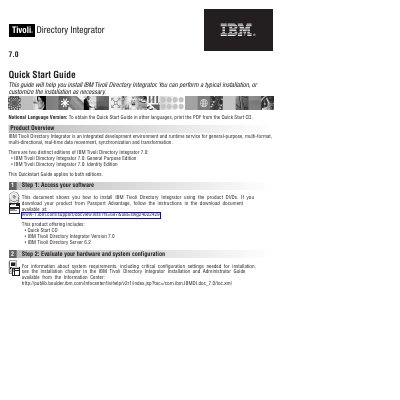
IBM Tivoli Directory Integrator 7.0 Quick Start Guide
The IBM Tivoli Directory Integrator 7.0 is an integrated development environment and runtime service designed for real-time data movement, synchronization, and transformation across multiple formats and directions.
This guide provides instructions for installing the software using product DVDs, detailing the process from accessing software to executing the installer via the Launchpad.
IBM Tivoli Directory Integrator 7.0 specifications
| Product version | 7.0 |
|---|---|
| Designer tool | ibmditk |
| Command-line runner | ibmdisrv |
Source: IBM Tivoli Directory Integrator 7.0 Problem Determination Guide
All IBM Tivoli Directory Integrator 7.0 documents by type
Disassembly, diagnostics and part numbers, for repair.
The shortest path to a working setup, usually only a few pages.
Questions answered in these manuals
What is the IBM Tivoli Directory Integrator 7.0 Messages Guide?
It is a reference that lists all informational, warning, and error messages associated with IBM Tivoli Directory Integrator.
Who should read this guide?
It is intended for those responsible for identifying and resolving problems in IBM Tivoli Directory Integrator 7.0.
Who should read the Tivoli Directory Integrator 7.0 Problem Determination Guide?
It is intended for those responsible for identifying and resolving problems in IBM Tivoli Directory Integrator.
From: IBM Tivoli Directory Integrator 7.0 Problem Determination Guide
Which tools can I use for problem determination with Tivoli Directory Integrator 7.0?
The guide covers built-in troubleshooting features, Performance Test Utilities and performance debugging, and the IBM Support Assistant plug-in.
From: IBM Tivoli Directory Integrator 7.0 Problem Determination Guide
What are the different editions of IBM Tivoli Directory Integrator 7.0?
There are two editions: the General Purpose Edition and the Identity Edition.
What is included in a Typical installation?
A Typical installation includes the Server, Config Editor, JavaDocs, Administration and Monitoring Console, Action Manager, and examples.