
Key facts
- Brand
- GODEK
- Model
- EZ-1300
- Documents
- 3
- Languages
- EN · ZH
- Last added
- 2011-09-25
Start here
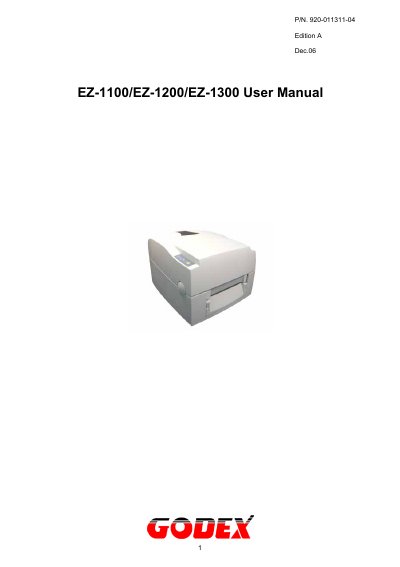
Godex EZ-1100 EZ-1200 EZ-1300 Barcode Printer User Manual
This user manual covers the Godex EZ-1000 series desktop thermal transfer / direct thermal label printers, specifically the EZ-1100 and EZ-1200 at 203 DPI and the EZ-1300 at 300 DPI. It opens with FCC and European EMC compliance statements and the Godex warranty information for printers, print heads, software, parts and supplies, then lists the printer models, box accessories and general specifications.
The remaining chapters explain installation of the ribbon, label roll, card and hang tags, USB driver installation and PC connection, plus installation of the optional stripper, cutter and extended memory. Later chapters describe the LED status and error messages, feed key and self-test functions, and maintenance and adjustment tasks such as thermal print head cleaning, print head balance and print line adjustment, cutter adjustment and troubleshooting.
GODEK EZ-1300 specifications
| Print head density | 8 dots/mm (203 dpi) or 12 dots/mm (300 dpi) |
|---|---|
| Print modes | Thermal Transfer / Direct Thermal |
| Resolution by model | EZ-1100: 203 dpi; EZ-1200: 203 dpi; EZ-1300: 300 dpi |
| Print speed | 2~4 IPS standard |
| Print width | 104 mm (4.10") |
| Memory | DRAM 2MB, FLASH 1MB |
| Printer language | EZPL |
| Interface | Serial, Parallel, USB |
| Ribbon length | 300M (981 ft) |
| Power supply | Auto switching 100/240VAC, 50/60 Hz |
| Operating temperature | 40°F to 104°F (5°C to 40°C) |
| Certifications | CE, FCC Class A, CCC, CB, CUL, BSMI |
| Weight | 2.72 Kg |
Source: Godex EZ-1100 EZ-1200 EZ-1300 Barcode Printer User Manual
All GODEK EZ-1300 documents by type
Day-to-day operation, settings and troubleshooting. Start here if the product is already set up.
Questions answered in these manuals
Which printer models are described in this manual?
The manual covers the EZ-1100 at 203 DPI, the EZ-1200 at 203 DPI and the EZ-1300 at 300 DPI.
From: Godex EZ-1100 EZ-1200 EZ-1300 Barcode Printer User Manual
What printing modes does the printer support?
It supports both direct thermal and thermal transfer printing.
From: Godex EZ-1100 EZ-1200 EZ-1300 Barcode Printer User Manual
What print resolutions are supported by the EZ‑1100/EZ‑1200/EZ‑1300 models?
The EZ‑1100 and EZ‑1200 print at 203 dpi, while the EZ‑1300 prints at 300 dpi.
What voltage can the printer be powered from?
The printer accepts a universal 100‑240 VAC input at 50/60 Hz.
How should I replace the battery safely?
Replace the battery only with the equivalent type recommended by the manufacturer and dispose of the used battery according to the manufacturer’s instructions.
How can I clean the print head if the output is faint or incomplete?
Use a soft cloth lightly dampened with alcohol to wipe the print head and remove any residue.